
Support Bots
Add a Help Center link to a Telegram support bot. Use SUCH's menu button, choose the right customer route, and keep human help easy to reach.

Damian Ledesma
November 7, 2026
•
5 minutes

Turn customer voice notes into readable support text with SUCH PRO. Verify important details, reply faster, and keep the original audio in view.
A customer can explain a tricky problem faster in a voice note than in a long typed message. The support agent still needs to find the request, check the details that matter, and send a clear reply. SUCH PRO can show a text version of an incoming customer voice message inside the support chat.
Use the transcript to scan what the customer needs before you write. It is a reading aid, not the final record: listen to the original audio before acting on an account number, a total, an address, a deadline, or any instruction that could change the customer's outcome.
Voice-to-Text is part of SUCH PRO. To use it for an incoming customer message:
app.such.chat, then open the customer's conversation.->A control to the right of that message.The customer remains in the same bot conversation while the support agent reads and replies.
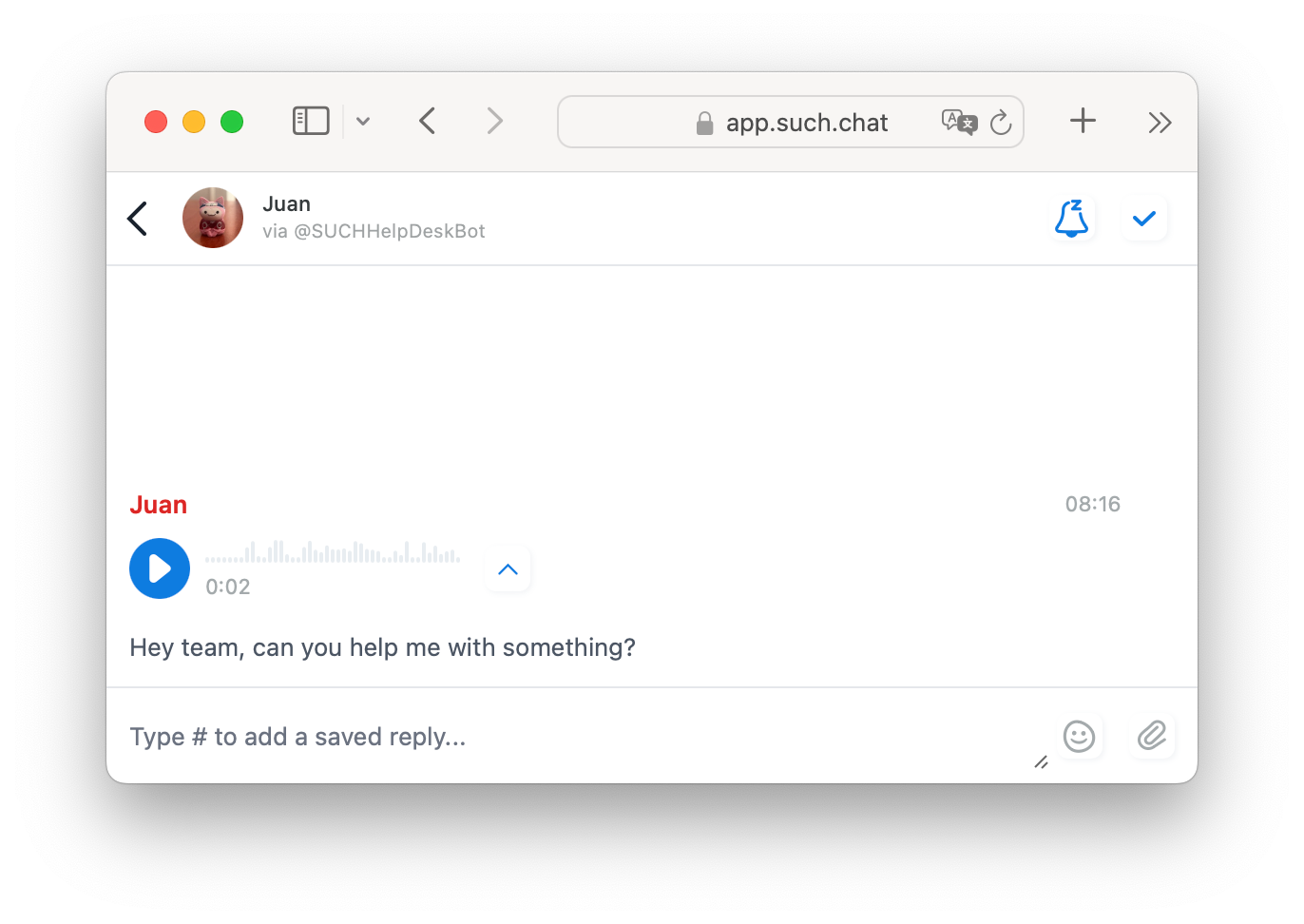
Once the agent can scan the note, the next action depends on what the customer actually asked for.
| What the customer needs | Useful next action |
|---|---|
| A standard answer, link, or set of steps | Send the relevant quick reply. |
| Help with their own account, order, or exception | Check the conversation context and write a specific answer. |
| An unclear request | Ask one short follow-up question instead of guessing what the voice note meant. |
| Something involving a number, address, deadline, or other sensitive detail | Listen to the original audio before confirming or changing anything. |
The transcript is most useful when a customer covers several points in one message. Deal with the request they are making now, then ask about any missing detail in the same chat. This keeps the customer from having to repeat the whole story.
If more than one support agent handles the bot, connect the team workflow before dividing conversations between support agents. Use the multi-agent Telegram-bot setup for that route.
Telegram has its own voice-to-text feature, but it is included with a paid Telegram Premium subscription. It works for the subscribed person's own Telegram account. That can be a good fit when one person already has Premium and only needs to read a message in Telegram.
It does not add a transcript to a shared SUCH project. When support agents handle customer conversations together, SUCH PRO keeps the transcript beneath the incoming voice note in the same conversation they use to reply. When someone needs a separate, standalone transcription or summary instead, Briefly is another option, subject to the team's privacy policy.
| Need | Best fit | What it does |
|---|---|---|
| A support agent needs to read a customer's voice note in the team's bot conversation | SUCH PRO Voice-to-Text | Shows text under the incoming voice message in the SUCH web app. |
| One Telegram account holder wants to transcribe a message in Telegram | Telegram Premium | Telegram's native voice-to-text feature for that subscribed account. |
| Someone wants to send or forward voice, audio, or video notes to a separate bot for transcription and summaries | Briefly | A separate third-party bot, not a SUCH integration. |
Briefly can be useful for a personal transcription or summary task. It is not connected to your SUCH project, customer conversations, or support agents. Do not forward a customer's audio to an external bot unless your support and privacy policy allows it.
Speech can be interrupted, rushed, or unclear. A transcript helps an agent locate the relevant part quickly, but it cannot decide whether a customer meant a renewal date, a delivery address, an account identifier, or a number in a message. When the wording changes the answer or an action, listen to the relevant part of the voice note before replying.
For ordinary requests, the agent can respond with the correct steps, a prepared answer, or a follow-up question. The customer gets that reply in the same bot chat, without needing to use a separate transcription bot.
Ask a colleague to send a short test voice note to the support bot. In app.such.chat, open the project that owns that bot, then open the conversation created by the colleague's message. Select the ->A button beside their incoming voice note. A transcript appears below the same message; listen to the note and check that the transcript is clear enough for a support agent to use. Send a normal reply from that conversation to confirm the full workflow. Repeat this after you change agents, projects, or the way the team handles incoming chats.
No. The customer can send a normal voice message to the bot. Voice-to-Text is the SUCH PRO feature that the support team uses to read it as text in the web app.
No. Use it to read and scan the request faster. Check the original audio before you act on a detail that must be exact.
Yes. Telegram's native voice-to-text is available with a paid Telegram Premium subscription for the account using it. It can be useful for a person's own chats, but it does not place a transcript in a shared SUCH support conversation. Use SUCH PRO when support agents need to read and reply from the same bot conversation.
No. Briefly is a separate Telegram bot. It accepts sent or forwarded voice, audio, and video notes for transcription and summaries, but it is not part of a SUCH support project.

Add a Help Center link to a Telegram support bot. Use SUCH's menu button, choose the right customer route, and keep human help easy to reach.

Use a chatbot when a customer needs an answer your team has already approved and kept up to date.