
Telegram Guide
Set up a Telegram support team with one bot. Create a private group, add agents, and reply to customers together.

Damian Ledesma
September 9, 2026
•
5 minutes

Save Telegram support answers as quick replies, share them with your team, and send clear replies without typing the same message again.
Quick replies are saved messages that a support person chooses while replying to a customer. Use them for answers your team sends often, such as opening hours, access steps, or a link to a guide.
They do not send by themselves. The person handling the chat chooses the reply, checks it, and sends it when it fits the question.
Telegram Business has quick replies too, but they are available through paid Premium business accounts. SUCH includes basic text quick replies for every support bot, including free bots, so a team can share and reuse answers while replying through the bot.
Start with questions that arrive often and have one reliable answer.
Write each one as a complete message. The customer should know the next step.
SUCH gives Telegram support teams a no-code place to keep these answers. Open app.such.chat, choose your bot from the account menu, and open its Project Settings.
hours or access.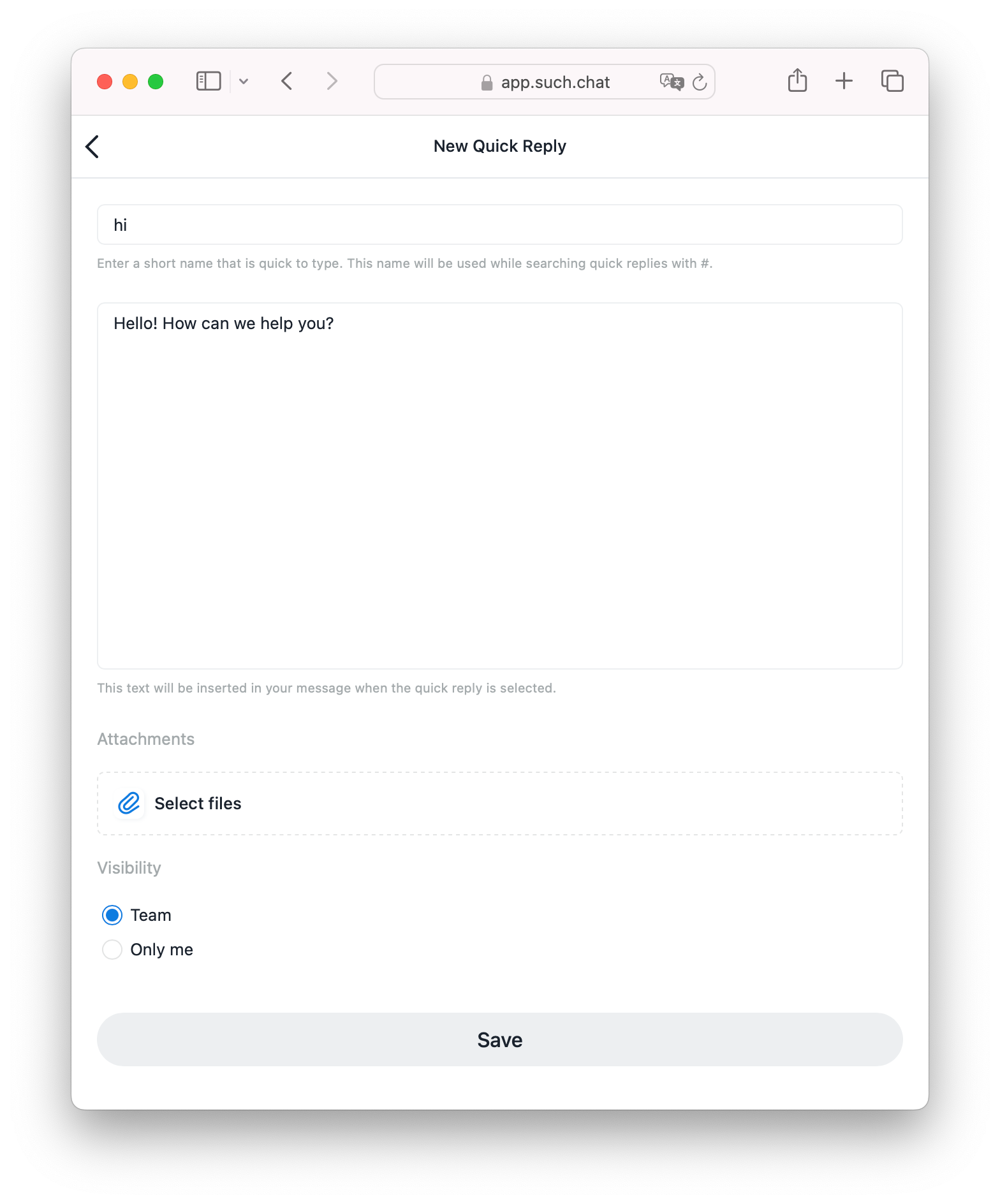
When you reply in a SUCH web-app chat, type # and choose the saved reply. The text is added to your message, so you can check it, adjust it for the conversation, and send it.
You can also save a useful answer that you have already sent. Right-click it on desktop or long-press it on mobile, then choose Save as Quick Reply.
Choose team for answers that everyone should give in the same way. Opening hours, access steps, policy links, and a clear handoff message are good candidates.
Choose only you for wording that helps one person but is not an approved team answer. This keeps the shared list short and helps a new teammate find the right reply.
For the wider support setup, read how chatbots improve customer service.
Keep the message short, but include the fact the customer needs and the next action. Add one relevant link when it helps.
For example, instead of saving Send your email, save this:
Please send the email used for the purchase and the name of the resource you cannot open. We will check the access details.
Use the same plain language across the library. The Telegram support conversation design guide can help you write clear support messages.
If your team repeatedly sends the same PDF, screenshot, or document, SUCH PRO lets you attach that file to a quick reply. Add a sentence that says what the file is for, then check it after every update.
Update saved replies after a price change, a new guide, a policy update, or a common support problem. Remove unused replies and merge duplicates.
The result is a small answer library your team can trust and use in seconds.
No. A support person selects a quick reply while writing a response. It is a saved starting point for a human reply.
Yes. Choose team when you create the quick reply in SUCH. Choose only you for a personal reply.
Yes, with SUCH PRO. You can attach a screenshot, PDF, document, or another file that the team sends often.
Set up a Telegram support team with one bot. Create a private group, add agents, and reply to customers together.
Write a useful Telegram bot welcome message with 20 examples for support, sales, communities, courses, and more. Set it in SUCH without code.