
Telegram Guide
Discover the key differences between Telegram groups and channels to choose the right tool for community, support, or broadcast.

Damian Ledesma
May 7, 2025
•
3 minutes

Learn how Telegram voice chats and live streams work, when to use each one, and how to host better live sessions.
Telegram gives you two useful live formats: voice chats and live streams. Both help you speak to people in real time without sending them to another app.
They look similar at first, but they are not the same. One works better for discussion. The other works better for broadcasts.
This guide explains how Telegram voice chats and live streams work, when to use each one, and how to run better live sessions.
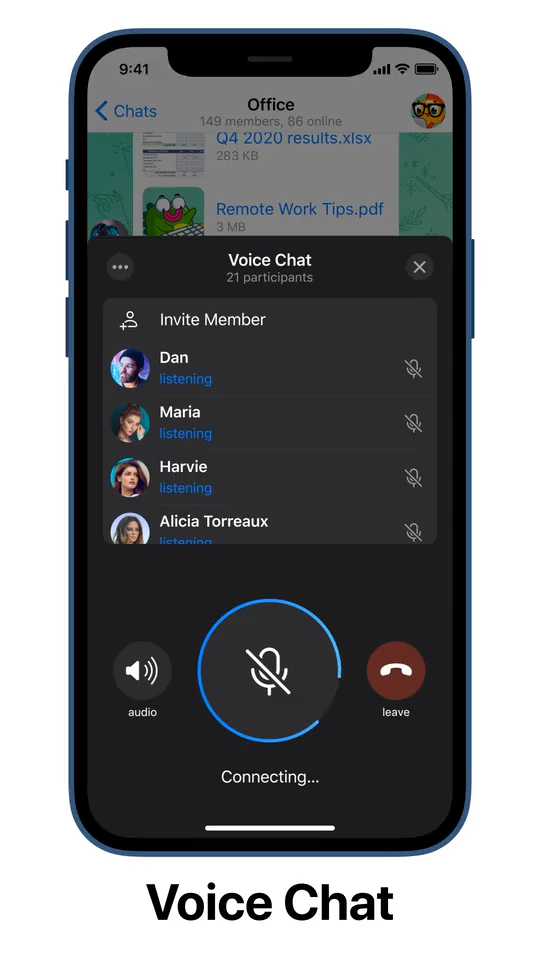
Telegram voice chats are live audio sessions inside groups. They are built for conversation.
People can join, listen, and in many cases request to speak. That makes them useful for team calls, Q&A sessions, workshops, and active communities.
Telegram later expanded this format with video and more admin controls, but the main idea stayed the same: a live room for interaction.
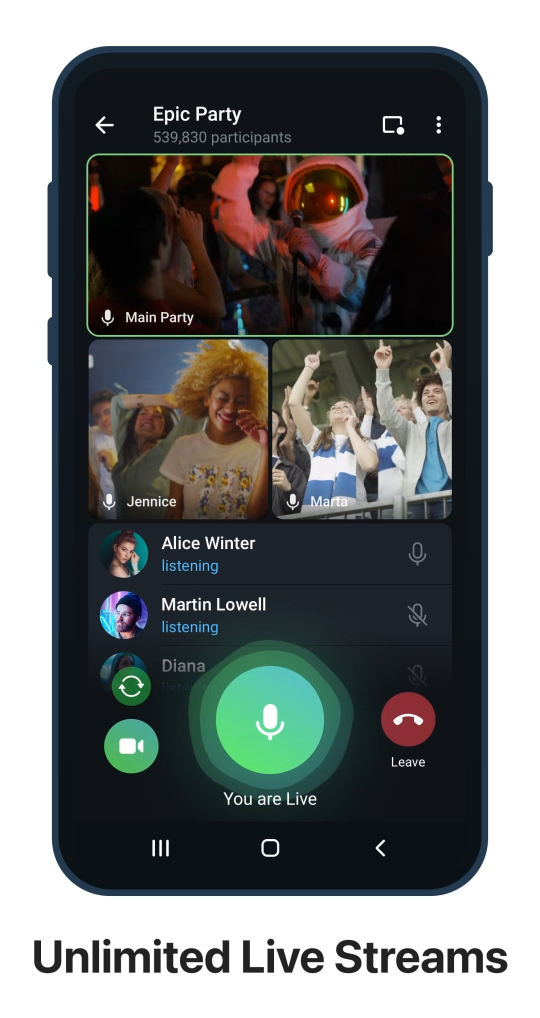
Telegram live streams are the broadcast version of the same feature. They are usually run from channels and are better for one-to-many communication.
This format works well for:
If your goal is open discussion, a group voice chat is usually the better choice. If your goal is structured delivery, a live stream is usually better.
Here is the simplest way to compare them:
| Format | Best place | Best for | Audience role |
|---|---|---|---|
| Voice chat | Group | Discussion, Q&A, teamwork, community calls | People can request to speak |
| Live stream | Channel | Broadcasts, updates, interviews, one-to-many events | Most people listen while admins control speakers |
The technical setup is similar, but the audience experience is different.
If you are still deciding where to host your session, this guide to Telegram channels vs groups helps you choose the right format first.
Use a group voice chat when you want:
Use a channel live stream when you want:
In short, voice chats are better for conversation. Live streams are better for broadcasting.
If you want a live discussion, start from a group.
Basic flow:
Once the session is live, admins can mute speakers, manage requests, and keep the room organized.
Here is what a Telegram voice chat looks like inside a group:
If your group gets busy, it helps to organize it before live events. Using Telegram Topics can make follow-up discussions much easier.
If your main goal is speaking to a larger audience with more control, start from a channel.
Basic flow:
This format is better when you want listeners to stay focused on the speaker instead of turning the event into an open discussion. For channel admins, a Telegram support bot can also help collect questions and feedback after the session without turning the channel into a busy chat.
Here is what a Telegram live stream looks like inside a channel session:
Starting a session is easy. Running one well takes more planning.
Before you go live, tell people:
This improves attendance and gives people a reason to join.
Weak live sessions often happen because the format and the goal do not match.
If you want discussion, use a group voice chat. If you want a cleaner one-way presentation, use a channel live stream.
If more than one person will talk, explain how questions will work. Tell people whether they should request speaking access, wait for a Q&A section, or use comments first.
That makes the session feel smoother and more professional.
Do not just go live and hope people notice.
Announce the event in advance and send reminders close to the start time. If you already use channels for updates, this guide on broadcasting Telegram messages is useful for promoting live sessions.
The most common problems are:
The best Telegram live sessions are simple, focused, and well moderated.
Telegram voice chats and live streams both help you build stronger live communication inside Telegram.
Use voice chats when you want conversation. Use live streams when you want controlled broadcasting.
If you choose the right format, set clear rules, and promote the session properly, both can become valuable tools for community, support, and audience engagement. If your live sessions are part of a paid community, InviteMember can help you monetize access on Telegram.
Discover the key differences between Telegram groups and channels to choose the right tool for community, support, or broadcast.
Learn how to broadcast Telegram messages in 2025. Discover channels, bot broadcasts, and step-by-step guides to reach your Telegram audience!