
Telegram for business
Compare Telegram channel monetization through ads, Stars, subscriptions, paid content, sponsors, services, and memberships.

Damian Ledesma
August 15, 2026
•
7 minutes

Choose a Telegram auto reply route. Compare Business greeting and away messages with a support bot for shared replies, commands, and AI.
A Telegram Business account and a Telegram support bot solve different customer conversations. A Business account sends messages from the account that customers already contact. A support bot gives customers a separate Telegram contact point, while the bot owner or support agents handle those conversations in SUCH.
Choose Telegram Business when one business account needs a simple greeting or away message. Choose a support bot when customers should contact a dedicated bot and an owner or support team needs to manage the conversation after the first reply.
| If you need... | Use a Telegram Business account | Use a Telegram support bot |
|---|---|---|
| The customer to message | Your own business account | A separate bot with its own username |
| The first message | A greeting for a new or inactive private chat | A welcome message after the customer presses Start |
| A reply while the team is unavailable | An away message during the schedule you set | Bot AI can answer routine questions when enabled and configured; otherwise choose your own agent-coverage or command-reply approach |
| A saved response | A Business quick reply you choose and send | A SUCH quick reply that an agent chooses and sends |
| Ongoing customer support | The business account's own chat list | A support conversation the owner or agents handle in the SUCH web app or a private team group |
Neither quick-reply option is automatic. It is a saved message that a human selects when it fits the customer question.
For the wider question of whether Telegram Business is enough for all of your customer support, see the broader Telegram Business comparison. This guide stays with the first-reply choice.
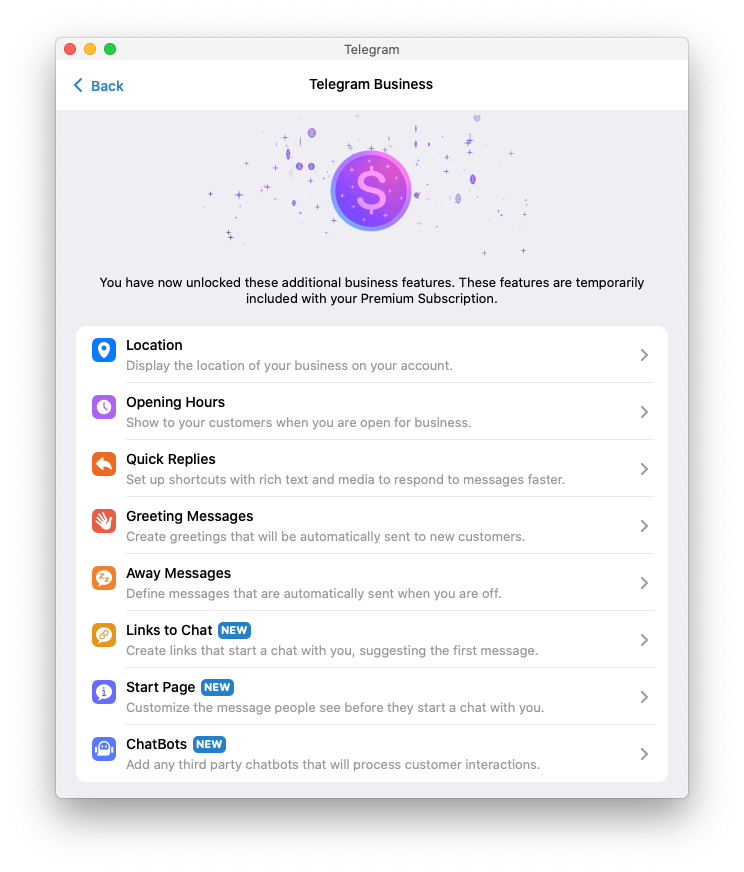
Telegram Business is a sensible route when you want customers to contact the same account you already use for business. Its business features are currently included with Telegram Premium.
Use a greeting message when a customer writes to the business account for the first time, or after the inactivity period you choose. Use an away message when the account is unavailable, outside the business hours you set, on vacation, or during another scheduled period.
This works well for a solo owner who needs to acknowledge a new message, set an expectation about response time, or share a simple first piece of information. The customer stays in a normal chat with the business account.
Telegram Business also has quick replies. They can save time, but the account holder still selects one and sends it. They are not a greeting-message replacement.
Use a Telegram support bot when you want the customer contact point to be separate from your personal or main business account. The customer opens the bot, presses Start, and receives the bot's welcome message. The bot cannot start a private conversation before the customer does that.
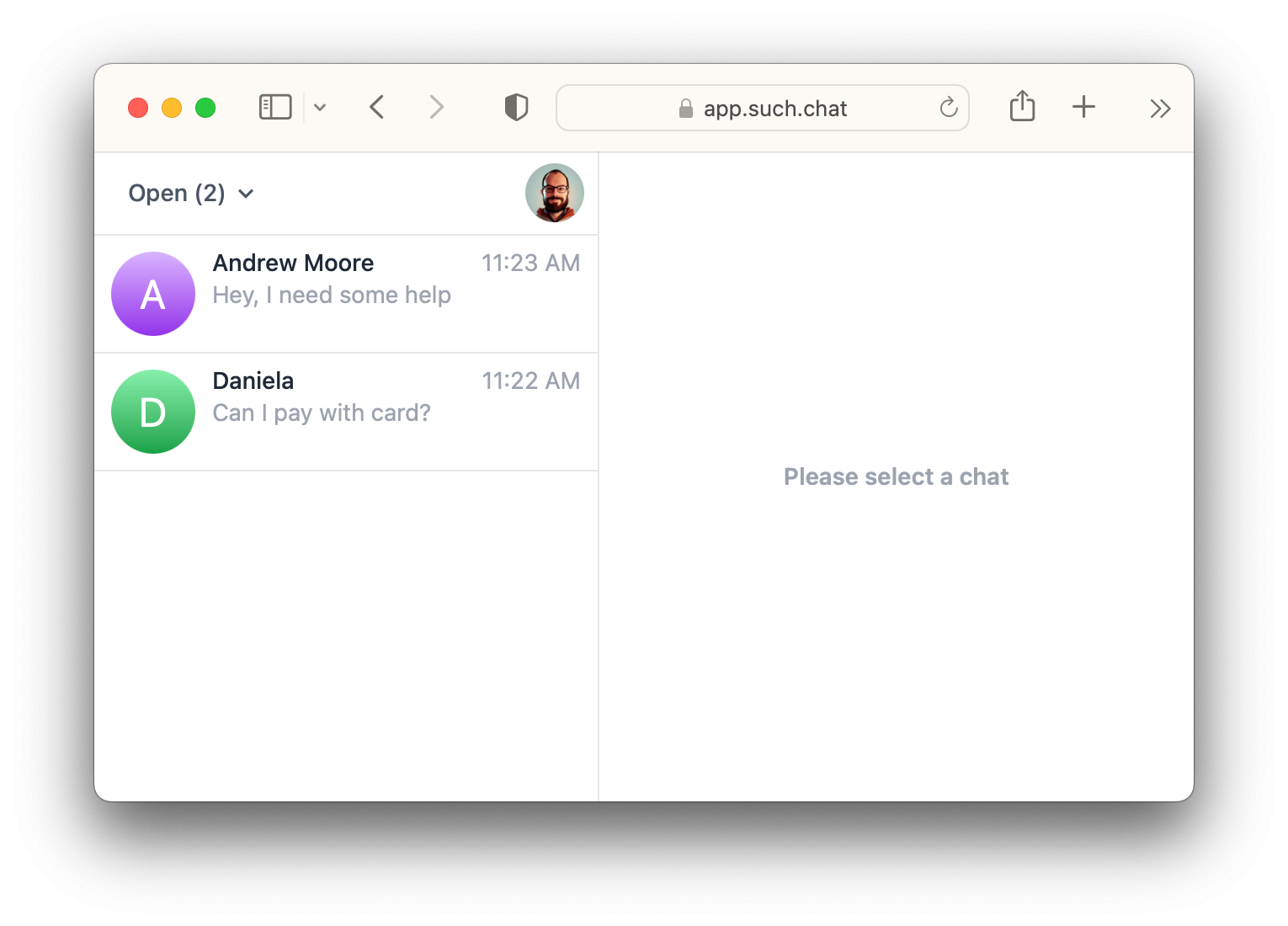
With SUCH, the bot owner can reply in app.such.chat. If more than one support agent needs to answer, connect a private Telegram support group to the bot, then add the agents after that connection is confirmed. Customers keep writing to the bot; they do not join the private team group. The Telegram support-team guide has the full setup order.
The first version can be simple: a clear welcome message and a person answering customer questions. Add a fixed command for an answer that should always be the same. Add a SUCH quick reply when an agent sends the same answer often. Turn on Bot AI only when the bot has current instructions and knowledge for the questions it should handle.
If this is the route you need, build a Telegram support bot without code before spending time on advanced automation.
A Telegram Business greeting is an account-level message that Telegram can send under the conditions you set. A Telegram Business away message is another account-level message for an unavailable period.
A SUCH welcome message is the first reply inside a conversation with the bot after a customer starts it. A command gives a customer a fixed answer they request. A quick reply helps a support agent prepare a reply faster. These are different jobs, so do not use one in place of another.
Telegram Business can also connect compatible third-party bots to a business account. That is a separate service integration, not the same no-code setting as a native greeting or away message. This comparison is about the native Business messages versus a standalone support bot that customers contact directly.
Yes. A business can keep its Telegram Business account for direct conversations and share a separate support-bot link for help requests. Treat them as separate routes: a message sent to the business account does not appear in the standalone bot conversation by itself.
If your separate bot is meant to take payments and grant access to a paid community rather than handle support, it has another job again. Use a Telegram membership-bot workflow for that route.
No. In Telegram Business, the business-account owner chooses a quick reply and sends it. In SUCH, a support agent chooses a quick reply while writing a response. A greeting message or an away message is the automatic option.
Telegram's built-in Business features, including greeting messages, away messages, and Business quick replies, are currently included with Telegram Premium.
It can be the main support contact point, but it is a separate bot conversation. Keep the Business account when customers should write to that account directly. Use the support bot when you want a dedicated support route with agent access and support-chat management.

Compare Telegram channel monetization through ads, Stars, subscriptions, paid content, sponsors, services, and memberships.

Set up paid Telegram or Discord access with InviteMember, use the right payment option, and add a separate SUCH bot for support.