
Telegram Guide
Export customer-support conversations from owned SUCH bot projects, with or without media files, in a downloadable ZIP.

Damian Ledesma
October 27, 2026
•
4 minutes

Find a customer's Telegram user ID in SUCH or bot notifications, then use it for a custom broadcast.

A Telegram user ID is the unique number attached to a Telegram account. It is different from a username and phone number. A SUCH project owner may need it when sending a broadcast to a selected group of customers rather than every customer who has started the bot.
You can find the ID for a customer who has messaged your support bot in the bot's Telegram notification or in the SUCH web app. You do not need to ask the customer for a phone number.
Open the notification that your support bot sent after the customer wrote to it. The customer's Telegram user ID appears next to the customer's username in that notification.
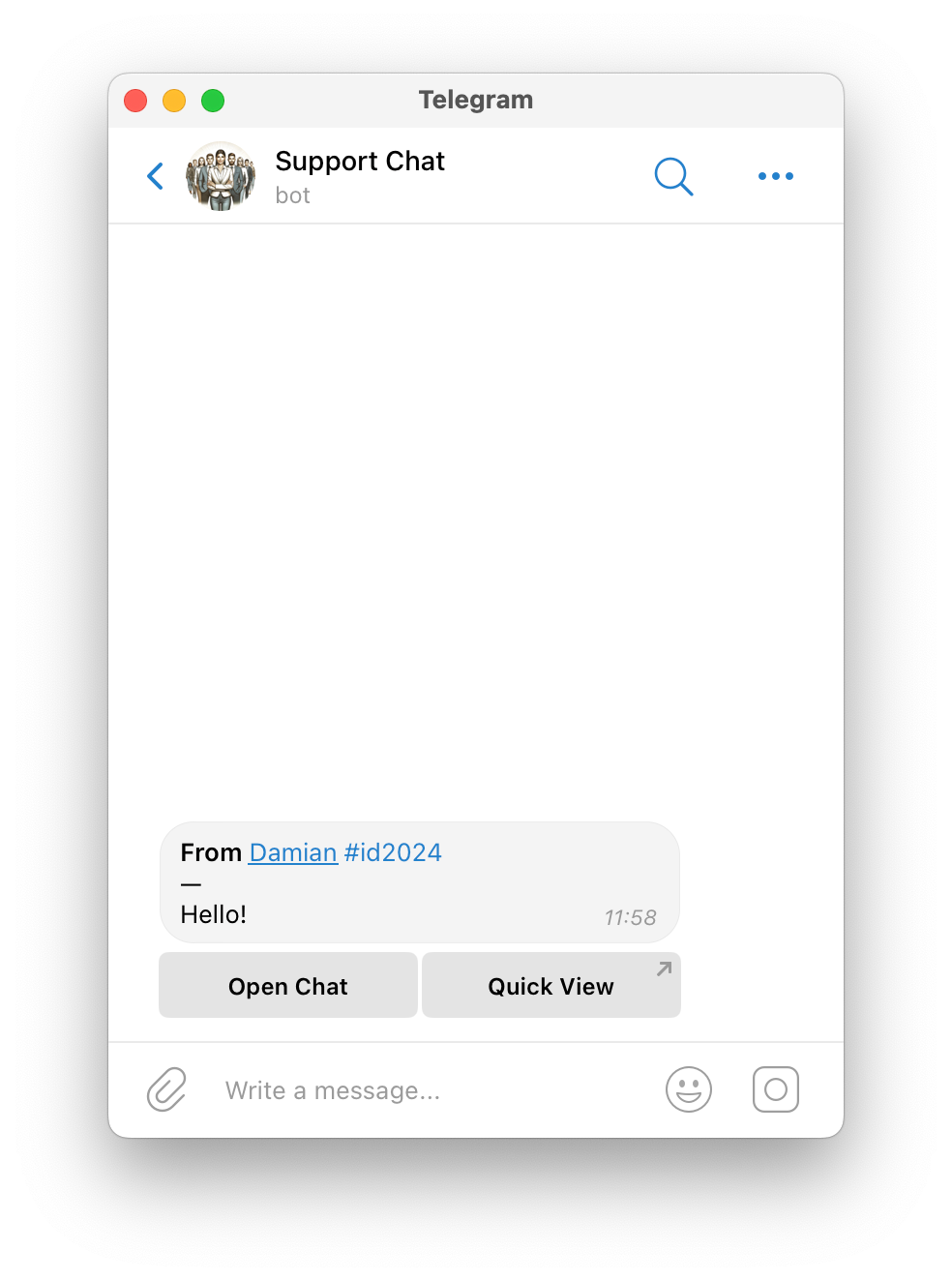
Copy the number exactly. A username begins with @; the user ID is the separate numeric value. Do not use a group Telegram ID when you need to select individual customers for a broadcast.
Open the customer conversation in app.such.chat. Click or tap the customer's name at the top of the chat screen to open User Info. The customer's Telegram user ID appears in that pane.
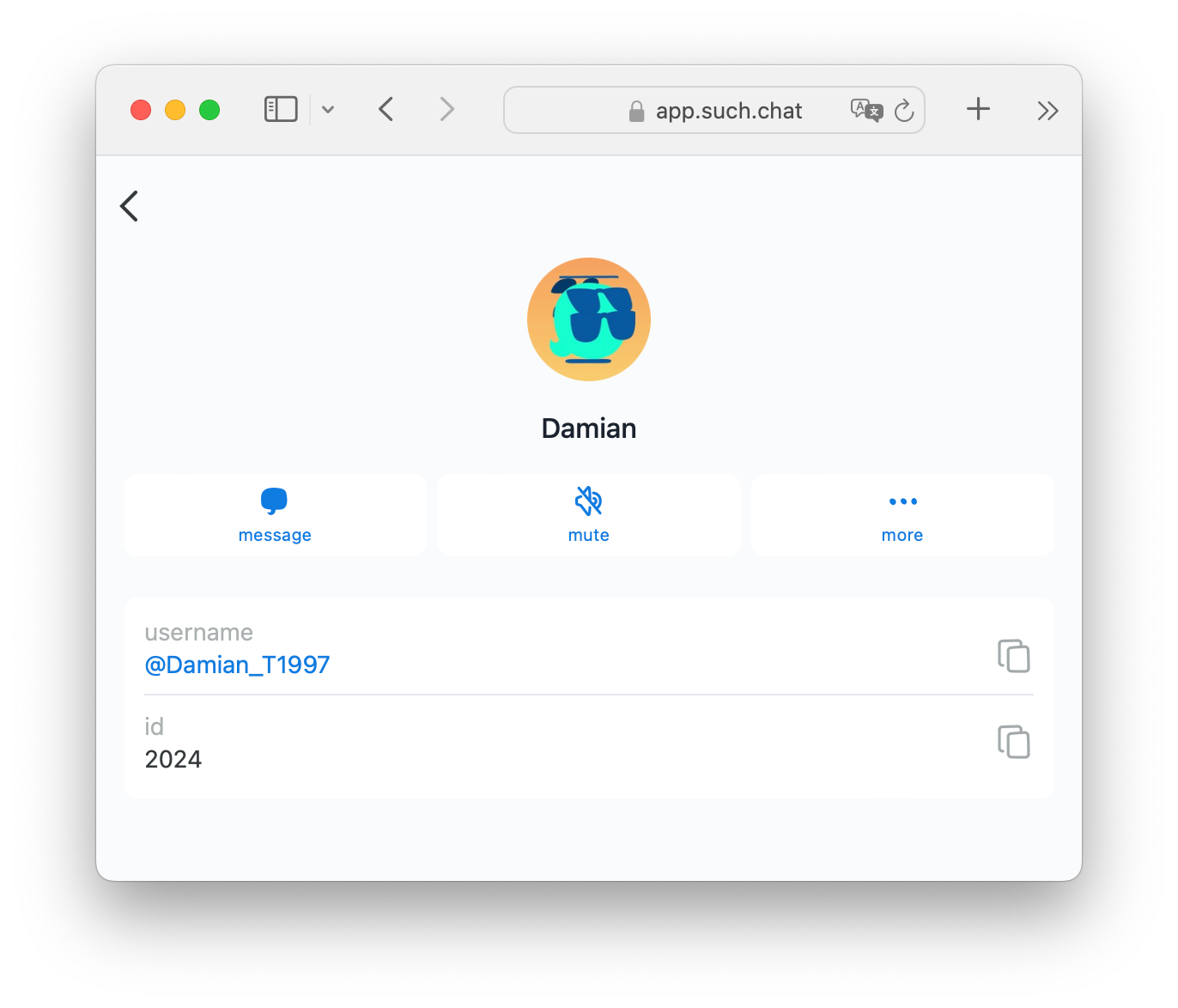
Use this route when a support agent or project owner is already reviewing the conversation in the web app. It keeps the customer record and the number together, so you can check that you selected the intended customer before you copy it.
SUCH PRO lets a project owner send a broadcast through the connected bot to all bot users or to selected customers. For a selected audience:
/broadcast to the support bot.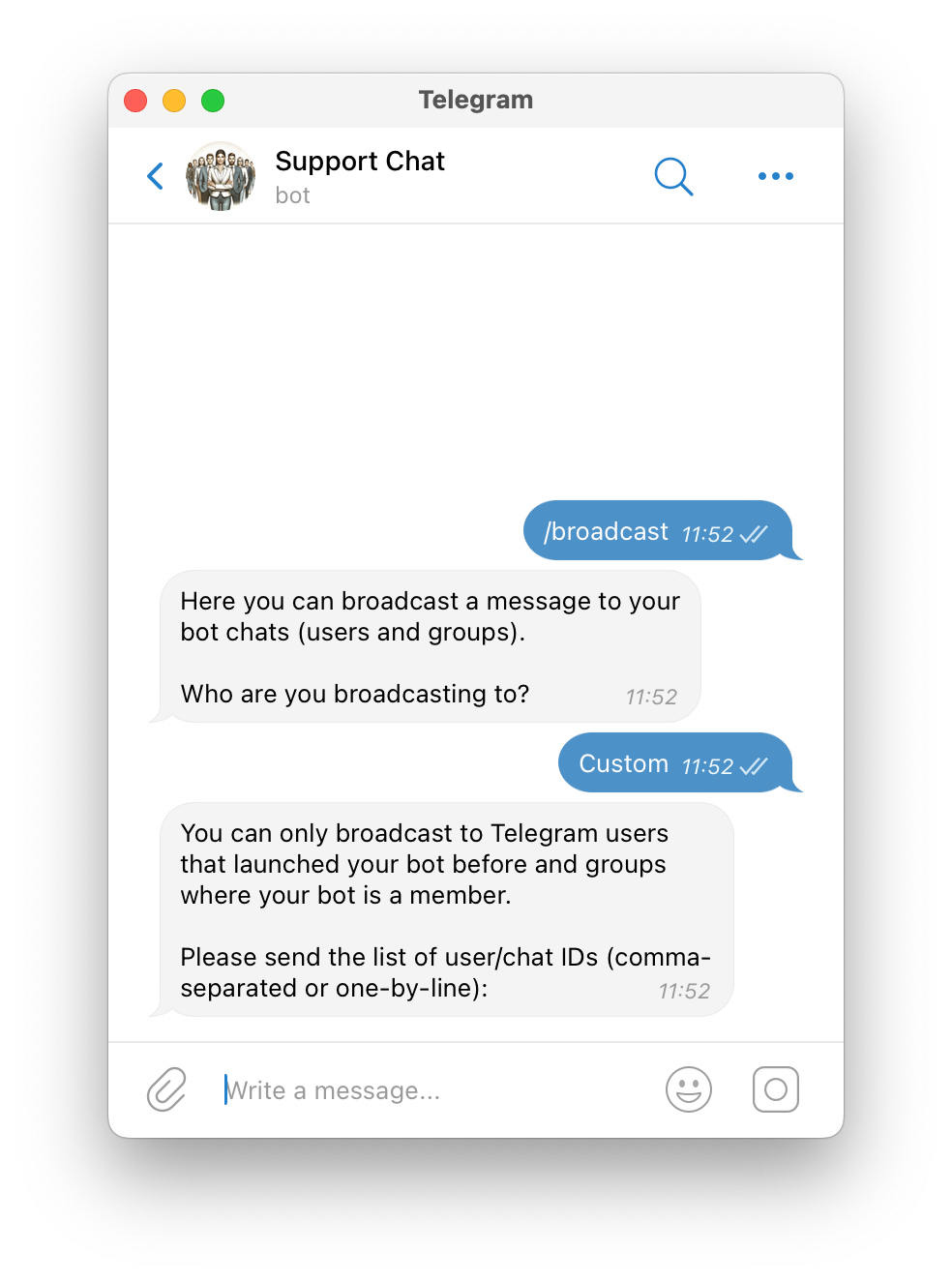
Only include IDs for customers who should receive that message. A broadcast cannot reach a customer who has not started the bot or a customer who has blocked it.
For the complete broadcast flow, including the message preview and cancellation step, open the SUCH broadcasts instructions.
| Identifier | What it identifies | When you use it in SUCH |
|---|---|---|
| Telegram user ID | One individual Telegram account | Select a customer for a custom broadcast. |
| Telegram username | A public @name a customer may have chosen |
Recognize a customer in a notification or chat. It is not the value SUCH asks for in a custom recipient list. |
| Phone number | A customer's contact number, when shared | It is not a Telegram user ID and is not needed for this workflow. |
| Group Telegram ID | One Telegram group | Refer to the group in group-support notifications, not an individual customer in a custom broadcast list. |
The number is an identifier, not a permission. Keep customer ID lists with the same care as other support records and share them only with the support agents or owners who need them for the broadcast.
No. When you choose Custom for a SUCH broadcast, send the recipients' numeric Telegram user IDs. A username is a different value.
Open the customer conversation, then click or tap the customer's name at the top of the chat screen. The ID is in User Info.
No. SUCH broadcasts cannot reach customers who have not started the bot or customers who have blocked it.
No. A Telegram user ID is a separate unique number used to identify the Telegram account.

Export customer-support conversations from owned SUCH bot projects, with or without media files, in a downloadable ZIP.
Manage several Telegram support bots in SUCH by keeping each bot's purpose, settings, and team access separate.