
Telegram Guide
Boost engagement and revenue with Telegram Stars! Learn how to integrate this virtual currency to enhance user interaction and generate income.

Zachary Hacker
July 29, 2024
•
2 minutes

Understand Telegram Stars for digital sales, Mini Apps for custom payment screens, and the right payment path for paid access.


Telegram Stars and Telegram Mini Apps do different jobs. Stars are Telegram's in-app currency for digital goods and services. A Mini App is a custom web screen that opens inside Telegram.
The payment method depends on what you sell. Digital goods and services sold inside a Telegram bot or Mini App use Stars. Physical goods and offline services use a supported payment provider. If you are selling paid access to a Telegram or Discord community, InviteMember is the no-code way to turn that rule into a working membership flow.
| Part | What it does | When you need it |
|---|---|---|
| Telegram bot | Starts the conversation, sends invoices, and sends updates | Every custom Telegram payment flow |
| Telegram Mini App | Shows a richer screen inside Telegram | Catalogs, options, carts, forms, or interactive tools |
| Telegram Stars | Pays for digital goods and services inside Telegram | Digital content, digital access, and digital features |
| Payment provider | Processes payments for physical goods and offline services | Shipped products and in-person services |
| InviteMember | Manages plans, payments, and paid-access resources | Paid channels, groups, communities, courses, and Discord roles |
A bot can accept Stars without a Mini App. A Mini App does not process payment on its own. It only gives the customer a better screen before or after the bot starts the payment flow.
| What you sell | Best setup | Payment path | What it means |
|---|---|---|---|
| Paid Telegram channel, group, community, course, or Discord role | InviteMember membership page and bot | Stars in the bot; other supported options on the membership page | No custom payment code or Mini App is needed |
| One digital item with a custom delivery flow | Custom Telegram bot | Telegram Stars | Your code creates the invoice and delivers the item |
| Visual digital catalog or interactive tool | Mini App plus bot | Telegram Stars | Your developer builds the interface and payment flow |
| Shipped product or offline service | Custom bot or Mini App | Supported payment provider | Your store manages orders, delivery, and support |
This is the first decision to make. A paid community needs access control. A product store needs an order system. They may both take payment in Telegram, but they are not the same business setup.
For a custom digital product, the payment path is straightforward:
XTR currency.For a custom bot, do not grant access when an invoice is opened. Grant it only after the successful payment update arrives, and save the payment result before delivery so the same update cannot grant the item twice. InviteMember already manages this confirmation-and-access work for its membership plans, so you do not have to build it yourself.
The custom Stars flow above makes sense for a custom product. It is unnecessary work when the item is membership access.
InviteMember handles the membership side: subscription plans, payments, customer status, and access to the resources included in a plan. Create a plan, connect its Telegram or Discord resources, and choose the payment options you want to offer.
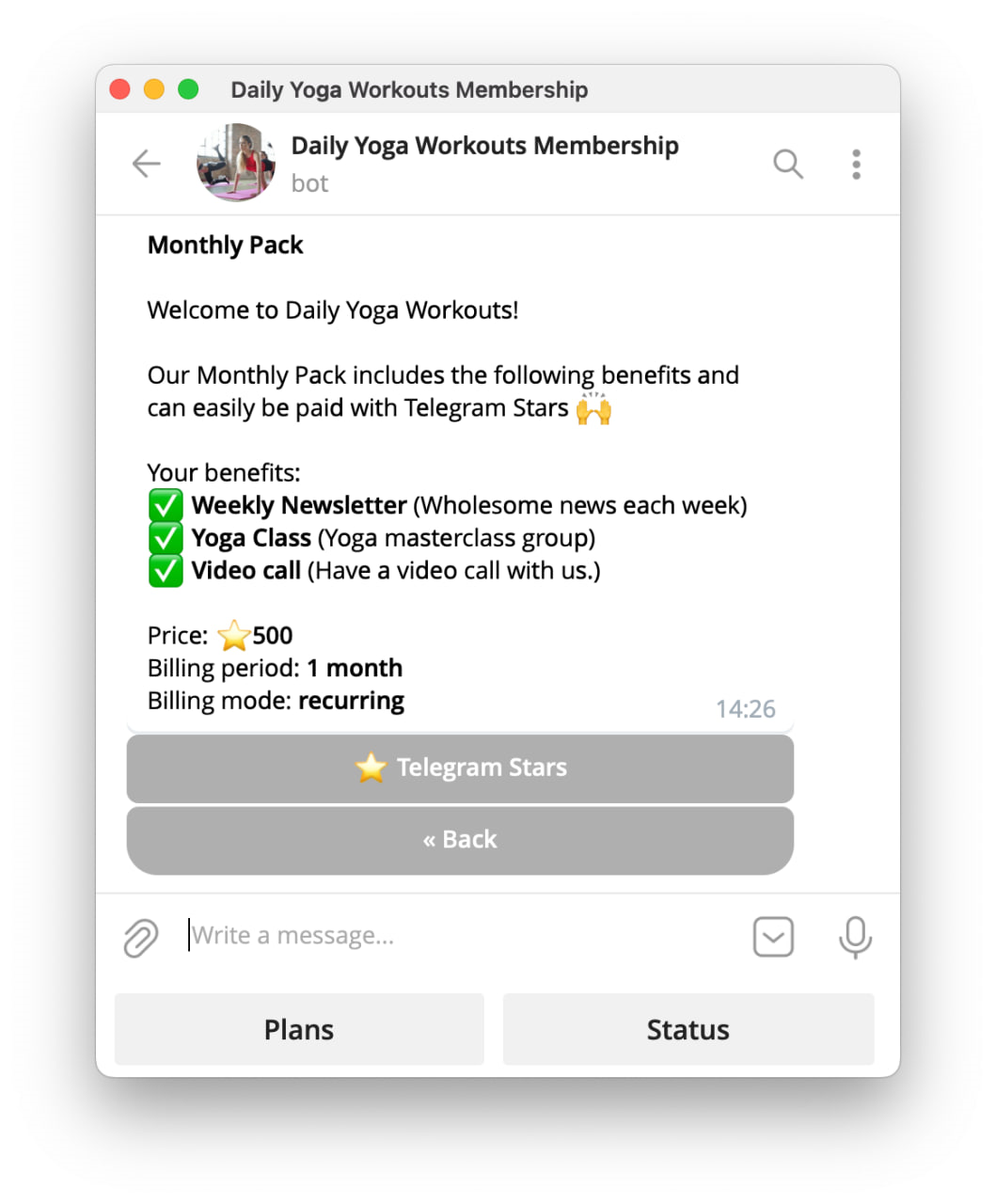
For Stars, enable Telegram Stars in the project payment options and set the plan price in Stars. The customer can pay in the membership bot. InviteMember then gives access to the resources in the plan: a Telegram join request route for channels and groups, or the connected Discord role.
InviteMember also has a membership page. It is a standalone website, not a Mini App. Use it for people who come from a website, social profile, newsletter, or external link. The page can show the other payment options connected to the project.
This is why InviteMember is the natural choice for paid communities: it handles the payment-and-access work that a custom bot would otherwise need to build and maintain.
A Mini App is useful when chat messages are too limited. It can show product images, search, filters, size or color choices, a cart, a member dashboard, a game, or a longer form.
It does not change Telegram's payment rules. A Mini App selling a digital item inside Telegram uses Stars. A Mini App selling a physical product or offline service can use a supported payment provider.
A Mini App also needs custom development. Keep prices, payment credentials, and delivery rules on the server. Validate the original Telegram initData before you trust the user identity. Do not rely on initDataUnsafe as proof that the browser user is real.
Read Telegram Mini Apps and bots when you need to plan a custom build.
Use a payment provider through Telegram Bot Payments for physical goods and offline services. Examples include a shipped product, food delivery, transport, or an in-person appointment.
The provider handles card details and payment processing. Telegram does not store card data or process the provider payment. Your store still needs clear shipping, delivery, refund, cancellation, and support rules.
For paid community access, the simpler choice is usually an InviteMember membership page with the payment providers you have connected. The page sits outside Telegram, while the membership bot can use Stars inside Telegram.
Payment questions are rarely only about payment. People also ask what a plan includes, where to join, why access has not appeared, or how to use the community after they join.
InviteMember membership bots handle the membership flow. When you need a separate space for support, create a dedicated bot with SUCH. Keep it for questions, help content, team replies, and optional AI support.
An InviteMember membership bot is already powered by SUCH's basic bot layer, but it does not include SUCH AI or SUCH PRO features. A second SUCH bot gives the team a focused support conversation without mixing support with plan and payment actions.
For a practical support setup, read Telegram AI Agent Builder and chatbot-to-human handoff.
Test the same route that customers will use.
There is no separate InviteMember test mode for Telegram Stars. Use a small, controlled live check and confirm access before you share the plan widely.
No. Stars are required for digital goods and services sold inside Telegram. Physical goods and offline services use a supported payment provider.
No. InviteMember can handle the plan, payment, and access flow through its membership page and bot. Use a Mini App only when you need a custom interface.
Yes. A practical setup is Stars in the InviteMember membership bot and other supported payment options on the membership page.
No. It is a standalone membership website that can be opened from any web link.
Yes. Add a Discord role to the subscription plan and InviteMember can grant that role after payment.
No. A Mini App is the interface. Your bot and server still need to handle the payment flow and delivery.

Boost engagement and revenue with Telegram Stars! Learn how to integrate this virtual currency to enhance user interaction and generate income.

Save on Telegram Stars by buying with Toncoin (TON). Follow this simple 2025 guide to lower fees and enhance your Telegram experience!