
Telegram for business
Boosting your Telegram Mini App success is possible with strategic promotion, ads, social media, content marketing, SUCH bots, and more.

Zachary Hacker
November 22, 2024
•
5 minutes

Telegram Mini Apps open a web interface inside Telegram. See when to use a Mini App, a bot, or both, and how they work together.

A Telegram Mini App is a website or web tool that opens inside Telegram. A Telegram bot is the chat where people send messages and receive replies.
Use a bot when the job is a conversation: answer questions, collect a simple request, send updates, or connect a person with support. Use a Mini App when the job needs a visual screen: a catalog, a form with several fields, a calendar, a dashboard, or a custom tool.
You can use both. The bot brings people into the chat and handles messages. The Mini App gives them a fuller screen when a chat would be slow or confusing.
| If people need to... | Start with... | Why |
|---|---|---|
| Ask a question or request help | A bot | A chat is quick and familiar. |
| Pick from a few simple options | A short bot conversation | There is no need to build a separate screen. |
| Read a help page, rules, or a simple form | An existing web page linked from a bot | The page can open inside Telegram without a custom app project. |
| Browse many items, filter results, or complete a long form | A custom Mini App | A web interface is easier to use than many chat messages. |
| Use a calculator, dashboard, or account area | A custom Mini App | The user needs a visual tool with its own logic. |
| Pay for a membership and unlock a community | An InviteMember membership flow | It manages the plan, payment, and access. |
Start with the smallest option that gives the user a clear next step. A Mini App is useful when it makes the job easier, not simply because it looks more like a website.
A custom setup has three parts:
Telegram can open a Mini App from a custom bot or a direct link. The right launch method depends on the custom setup you build.
For a custom Mini App, treat the app like any other web product. It needs a public HTTPS address, a screen that works well on a phone, and a server that validates Telegram's initData before using it. That check protects the app from trusting altered user details.
For example, a booking tool can use a Mini App for the calendar and form. The custom app stores the booking. The bot can then send a confirmation or reminder only when its own code has been built to receive that result.
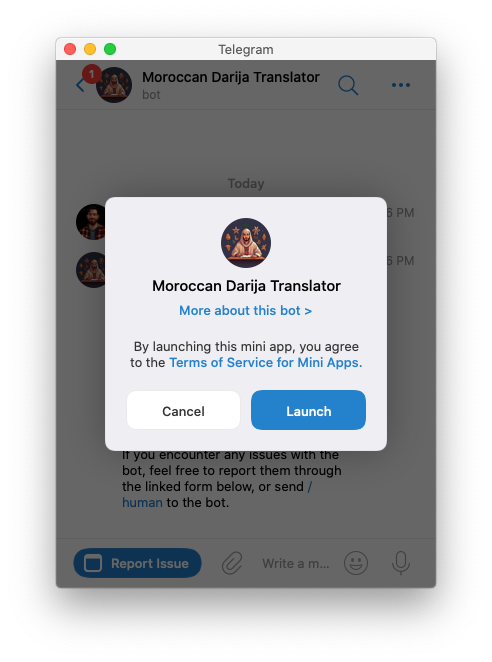
You do not need to build a Mini App for every web task. If you already have a help center, rules page, feedback form, or online tool, a bot can open that page inside Telegram.
For a SUCH support or feedback bot:
@SUCH in Telegram and send /menu_button.People will see that button when they open the bot. This is useful when the page gives them information or collects something that the page itself handles.
The link does not turn SUCH into the system behind that page. SUCH does not automatically receive a submitted form, a completed order, a payment result, or an account change from the linked web app. The page owner must handle those actions in the page's own system.
Also choose the bot's main action carefully. If the bot has custom commands, Telegram shows those commands instead of the web-app button.
The bot still has an important job after it opens a page. Give people a clear way to ask for help before and after they use it. A short welcome message can say what the page is for and where to ask a question. When support needs a person, use a simple human handoff path. Our guide to support chatbots for customer service shows how to keep that conversation useful for a team.
Do not promise that a support bot can see what a person did on a linked page unless you have built and tested that connection yourself. Say exactly where a person should get help with the page.
A custom Mini App can be the right choice for a custom product or store. It is not the simplest route when the real job is selling a membership and granting access to a Telegram group, channel, or Discord role.
In that case, InviteMember can manage plans, payment options, membership status, and access to the resources in the plan. The customer uses the membership flow for payment and access; a separate SUCH bot can still handle support questions. Read Telegram Stars and Mini Apps when you need to understand Telegram's digital-goods payment rules, or the Telegram storefront and payment bot setup for the broader payment decision.
No. A bot is the chat. A Mini App is a web interface that opens inside Telegram. They can work together, but they are different parts of a setup.
Yes. A bot can open a public web page or tool inside Telegram. You only need a custom Mini App when the page needs a custom Telegram-aware interface or its own product logic.
No. SUCH can add a button that opens your existing public page or tool. You need a developer or a Mini App builder for a custom web application.
No. A linked page does not send its result to SUCH automatically. The page and the system behind it must manage that work.
No. Use a membership flow when the main job is payment and access. Build a Mini App only when you also need a custom visual product or tool.

Boosting your Telegram Mini App success is possible with strategic promotion, ads, social media, content marketing, SUCH bots, and more.
Add a support bot to your Telegram Mini App for 24/7 help, faster responses, and better customer satisfaction.