
Telegram Features
Telegram Bot Privacy Mode controls group access. Bots receive messages you send them, not your phone number or other chats.

Damian Ledesma
September 14, 2026
•
5 minutes

Telegram Communities change how linked groups, channels, and support bots are found. They do not change bot replies, access, or membership.
Telegram Communities can place related groups, channels, and bots around one shared topic. That can make a project easier to browse. It does not turn those separate chats into one support inbox, one membership list, or one bot conversation.
For a bot owner, that difference matters. A Community can help people find the right place to talk, read updates, or start the bot. The bot still needs its own normal setup and follows Telegram's normal message rules.
A Telegram Community links existing chats. A project might link:
Each linked chat keeps its own messages, members, permissions, and rules. A Community is not one large group and it does not merge chat histories.
Telegram can show the linked chats as separate items, or show the Community as one item in the chat list. That display choice can make the Community easier to find, but it does not grant access to every linked chat.
For a full guide to the native Community controls, including visible and hidden chats, read Telegram Communities: Connect Groups, Channels, and Bots. This guide stays with the bot-owner question: what changes for support and what does not.
A Community can give your support bot a clearer place in a larger Telegram project. Someone reading the channel or talking in the group can find the bot as one of the related chats.
It does not connect the bot to SUCH, create a team inbox, or give the bot new permissions. Create and connect the bot in the usual way first. Then use a no-code Telegram support bot setup to set its replies, team access, and optional AI.
A person still has to start a bot before it can send that person a private reply. Adding the bot to a Community does not change that Telegram rule.
A Community is most useful when each chat has one clear purpose.
That structure helps people avoid asking a private support question in a public group. It also stops the support bot from becoming a vague replacement for the channel or group. The channel-versus-group guide can help you decide where each kind of message belongs.
A support bot can receive private messages after a person starts it. Group support is a separate setup with separate permissions.
If you add a SUCH bot to a Telegram group, the bot needs SUCH PRO and Privacy Mode must be disabled in BotFather before it can receive the group's ordinary messages. Linking that group to a Community does not change those requirements. The bot privacy guide explains the message-access decision in plain language.
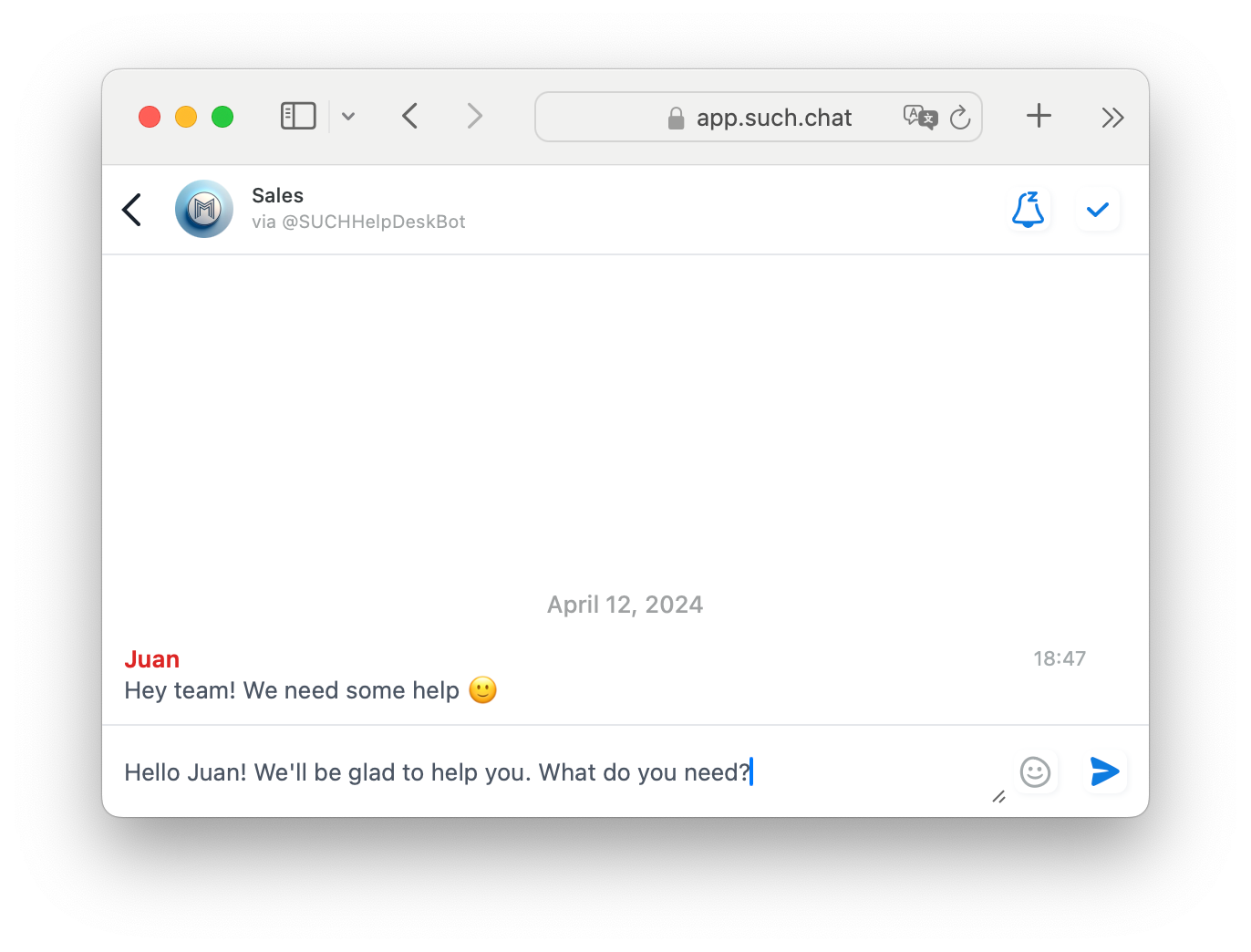
A group conversation remains separate from a bot's private support chats, even when both belong to the same Telegram project.
For a small team, the people who answer can work through the connected support group and reply from the same bot. Set that up separately with the Telegram support-team guide.
A Community can help people discover linked chats. It is not a paid-access system or a replacement for separate chat permissions.
If a channel or group is private, keep its own access rules. Do not assume that joining a Community gives someone access to every linked resource, or that hiding a chat makes it a paid-only resource.
For paid Telegram or Discord access, InviteMember manages individual connected channels and groups with their own join-request flow. Its public documentation does not confirm that Telegram Communities work safely with those access rules, so keep private subscription resources outside a Community until that compatibility is documented.
The Show as One Chat option changes how Telegram presents a Community in the main chat list and Search. It can make a set of related chats feel tidier.
It does not turn the Community into one shared conversation. It does not merge the channel, group, and bot. It does not change whether a person can join a private group or message the bot.
Turn it on when people should find the project as one topic. Leave it off when each linked chat should remain easy to spot on its own. Either way, give the bot a clear name and explain in the channel or group what it can help with.
For a course, membership, or community project, a simple arrangement is often enough:
The Community helps people find the right chat. SUCH helps the support bot answer once they get there.
No. It links them while each chat keeps its own messages, members, and permissions.
No. A bot's group-message access depends on its own Telegram permissions and Privacy Mode, not on the Community link.
Treat it as a navigation feature, not an access rule. Keep paid private resources in their own documented access flow.
No. A person needs to start the bot before it can send a private reply.

Telegram Bot Privacy Mode controls group access. Bots receive messages you send them, not your phone number or other chats.
See what a Telegram poll result shows, how to view votes over time, and how to use the result for a clear community decision.