
Telegram Guide
Learn how Telegram channel admins can be contacted easily and how owners can send messages to multiple users using bots!

Damian Ledesma
July 14, 2025
•
3 minutes

Learn how to use no-code Telegram healthcare chatbots with for patient support, FAQs and intake while keeping human control.

Most clinics and healthcare professionals see simple tasks become hard to manage as patient volume grows. At the same time, you know that many patient interactions should not lose the human touch.
Answering repetitive questions, talking to patients about basic issues, collecting intake forms and medical history, and handling prescription renewal requests all take time. Staff must choose between these tasks and deeper, human conversations with patients.
Without the right tools, these tasks reduce capacity, delay responses, and slow down your business.

A healthcare chatbot can handle many routine questions in the background while keeping your team in control. You and your staff can run clear, human-like conversations in your own branded Telegram chatbot, using a no-code free bot builder such as the SUCH bot builder.
A healthcare chatbot built with SUCH lives inside Telegram. It’s not only an AI bot. It is a complete support platform: a Telegram bot for patients plus a web app for you or your team.
The bot can answer based on your instructions and knowledge, while the web app lets you and your agents view chats, reply, close, snooze, mute, or even block users in one simple yet powerful web interface.
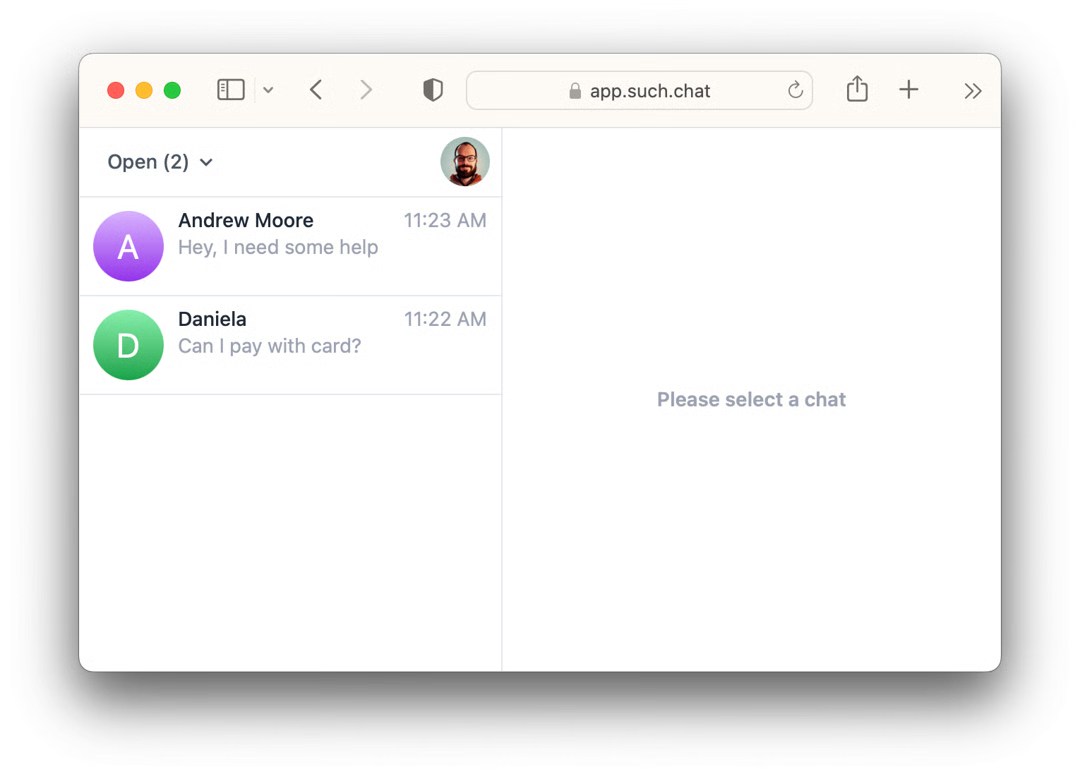
You can connect a team group in Telegram, add agents, and provide support to both individual chats and groups.
It works great for the following core workflows:
Help patients prepare for intake before they speak with your staff. You can instruct the bot to explain what information they will need, answer common questions about your process, and share the links you choose.
For full forms, you can attach a mini app to your bot. Patients tap a button in chat, open your form in the mini app, complete it, and then return to the same conversation.
For sensitive or complex cases, they can switch to a human with a simple command.
Guide patients on how to book, confirm, or change appointments using your current channels (phone, portal, front desk, mini app, or links you provide).
The bot repeats clear rules about visit types, hours, and preparation, so staff do not have to say the same things many times a day.
When you provide human support instead of AI-only replies, you can also use quick replies to speed up answers.
Send short follow-up messages, thank-you notes, and simple check-in questions through the bot.
Patients can ask for clarification on instructions; the bot handles standard answers from your knowledge, and your team can step in when a more personal reply is needed.
Share clear, written information your clinic already uses, such as service descriptions, pricing ranges, insurance details, location, opening hours, preparation checklists, and links to trusted resources.
The bot answers based on your approved content, and your team can join the chat when a question needs a human answer.
Share clinic news, schedule changes, new services, and health campaigns with patients through bot broadcasts and group support.
Patients receive consistent, written updates from the same branded Telegram healthcare chatbot. If they reply to a broadcast, either the AI chatbot or your team can answer from the same chat.
Modern no-code tools turn chatbot setup into simple configuration, not software development. With SUCH bot builder, you create a Telegram support bot and manage it from a web app.
You set the bot name, logo, welcome message, custom commands, AI behavior, quick replies, and team access using plain text fields and switches.
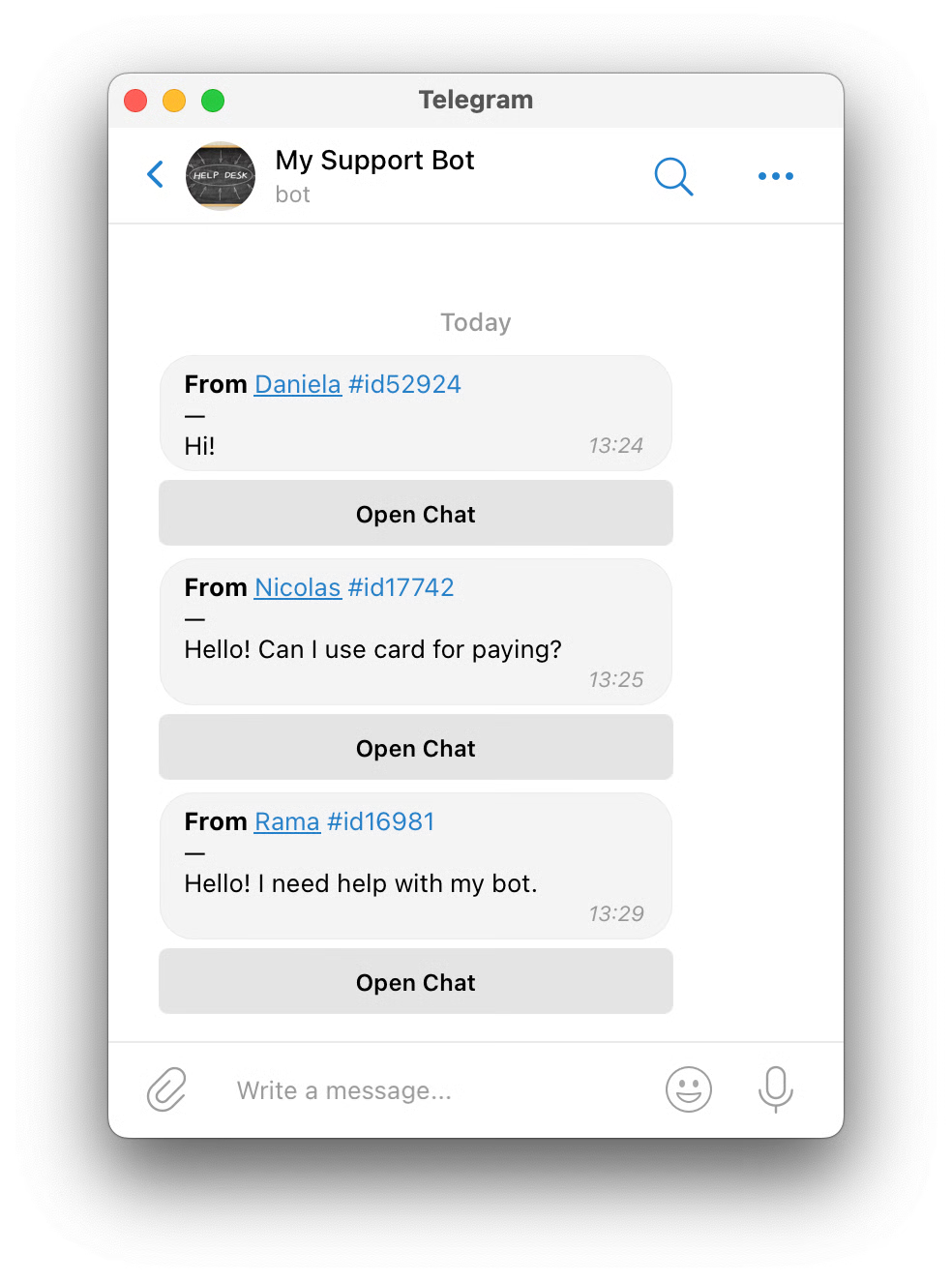
You do not design complex flows or write code. You can copy and paste the information you already have (FAQs, policies, instructions) as the bot’s knowledge, and update it at any time from the same interface.
At the same time, the web app works as a full support console for your team: agents can see all chats, reply, close or snooze conversations, collaborate, and support both private chats and groups in one place.
This lets clinics launch and run practical healthcare chatbots as part of a complete support platform, without hiring developers or IT consultants.
/new.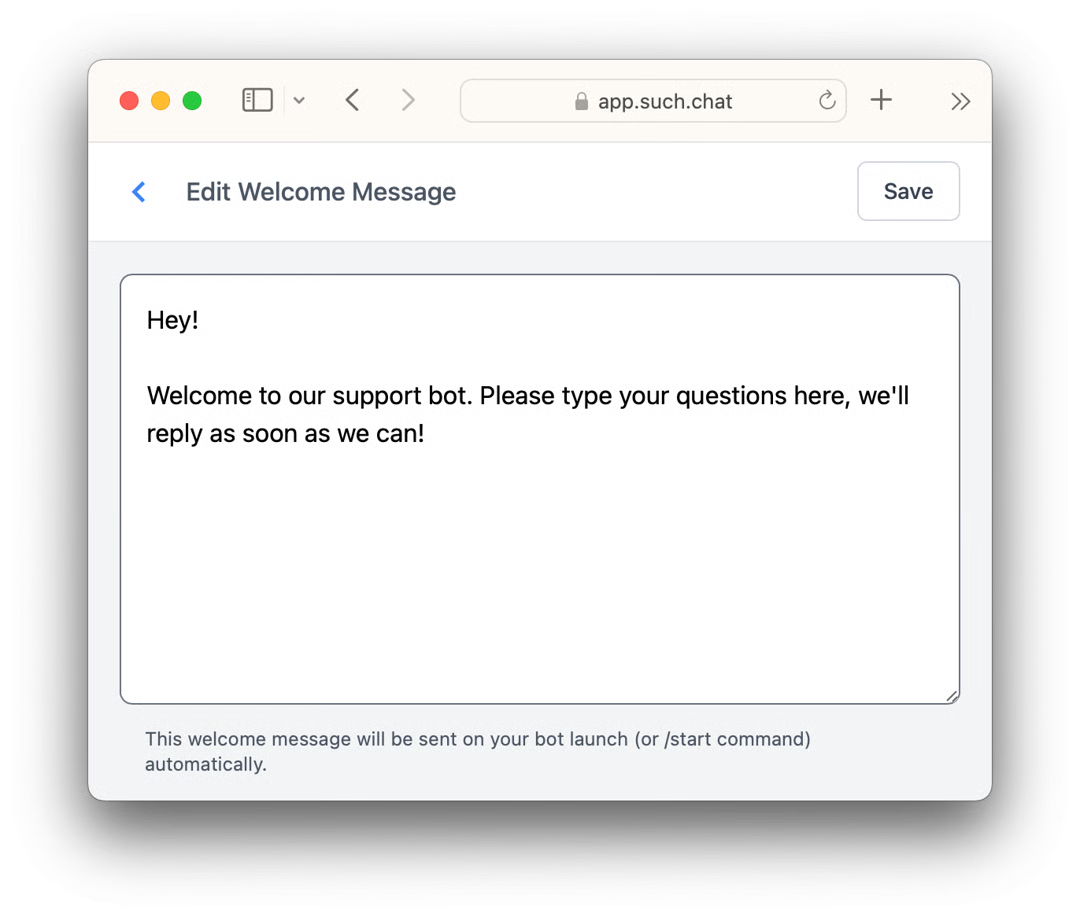
You now have your own Telegram support bot plus a web app to manage all chats for you or your team, for free.
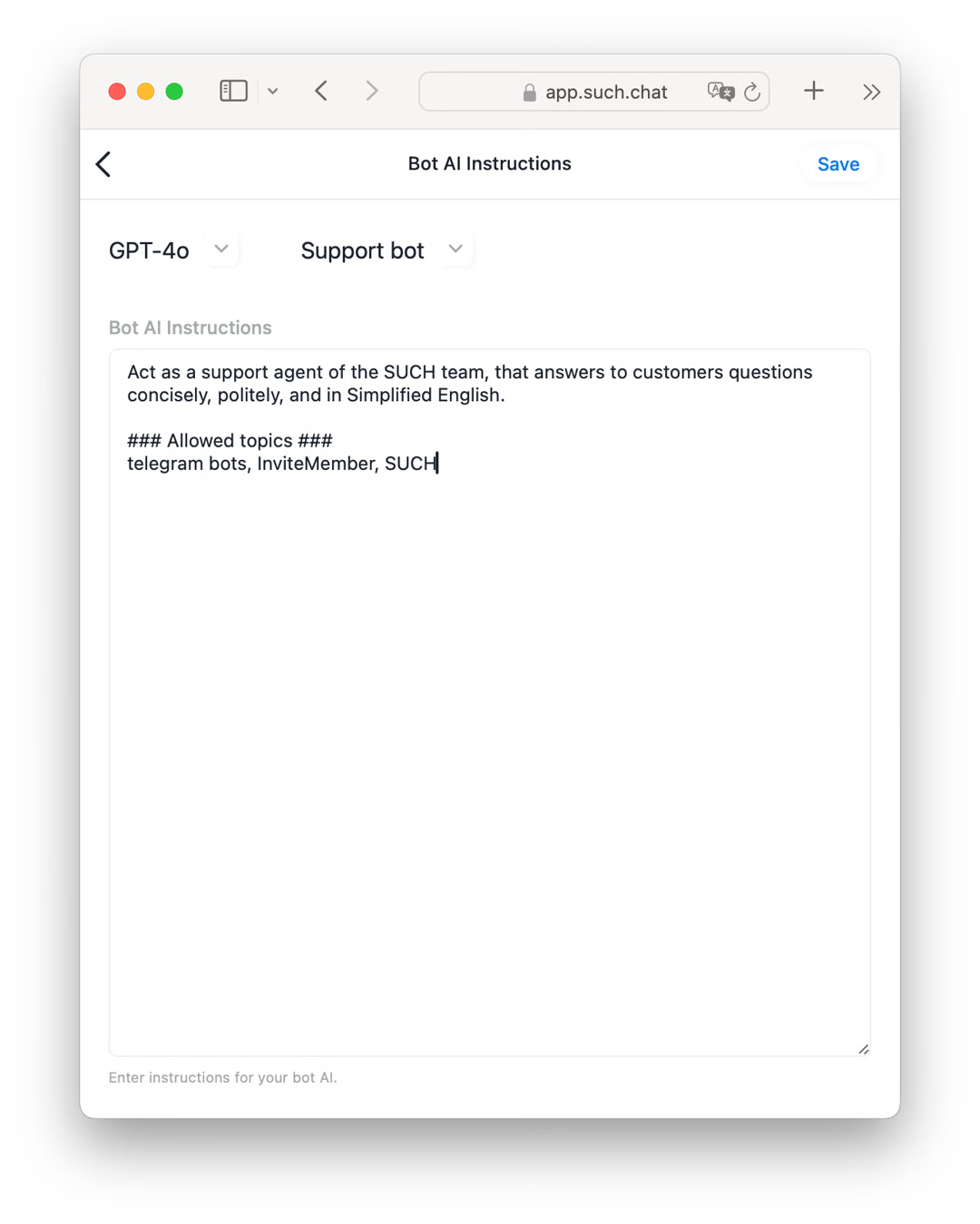
Start small and prove value quickly:
Yes. With the SUCH bot builder, you do not need to design flows or write code. You create your Telegram healthcare chatbot by sending a few messages to @SUCH, then manage it from a simple web app using text fields, switches, and buttons. Clinicians and admin staff can handle setup and daily use.
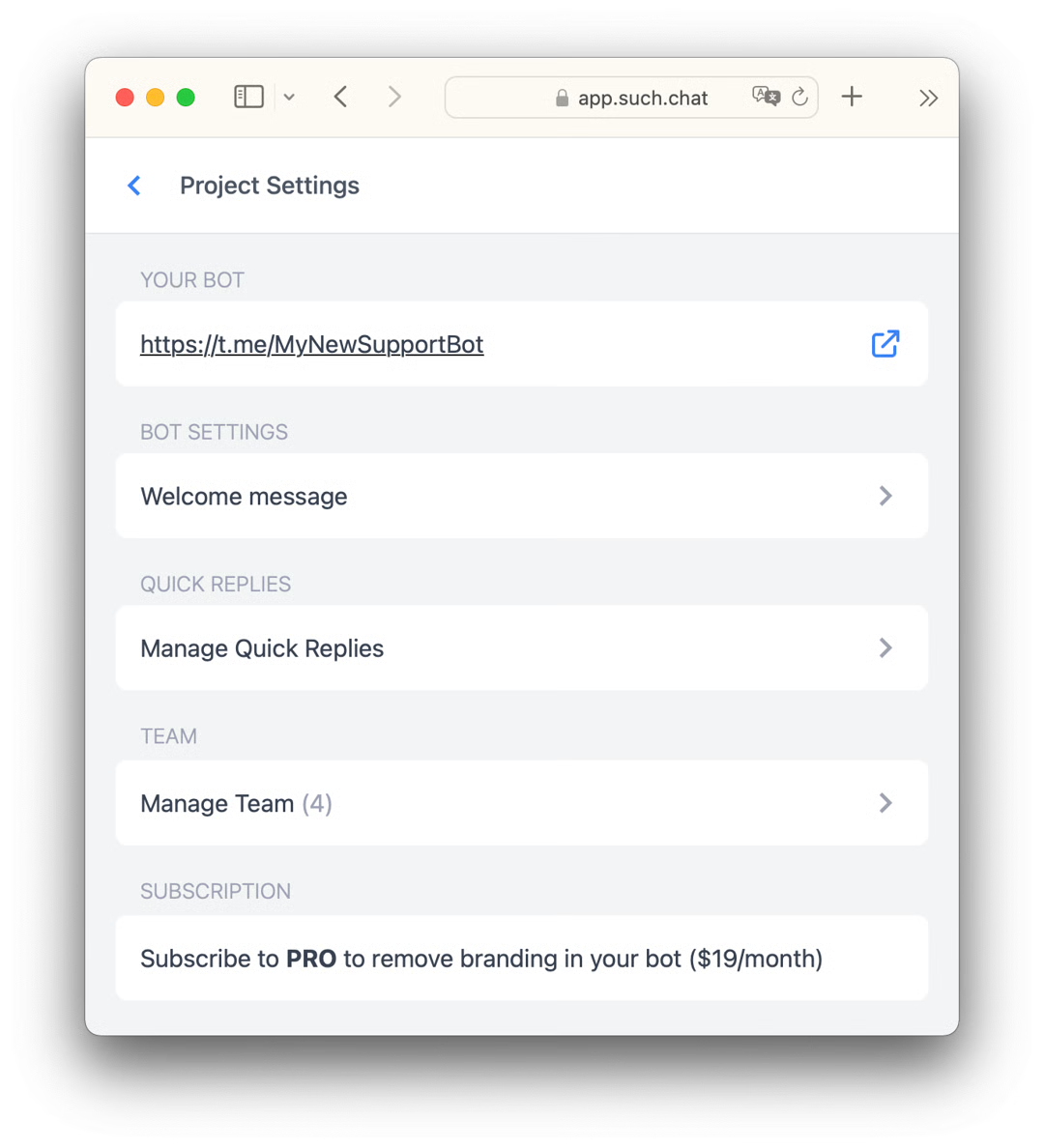
Creating a basic support bot with SUCH takes only a few minutes: open @SUCH, send /new, connect your bot, and you are ready to receive chats. Adding your knowledge (FAQs, policies, instructions) may take a bit longer, but you can launch a useful healthcare chatbot the same day and improve it over time.
With SUCH, your support bot lives in Telegram and is managed from the SUCH web app. You can share the bot link or QR code on your website, emails, posters, and other channels, but patient conversations themselves happen inside Telegram and your support console, not on multiple messaging platforms.
![Telegram Channels: Admin-Subscriber Messaging Guide [2025]](/_next/image?url=%2Fimages%2Fblog%2Fposts%2Fhow-to-contact-or-send-message-to-telegram-channel-admin-and-send-message-to-multiple-users%2Fcover.jpg&w=3840&q=75&dpl=dpl_8VYj5pMZxFtonDT6FdPyJcdjJCiM)
Learn how Telegram channel admins can be contacted easily and how owners can send messages to multiple users using bots!
Lost your Telegram account? Learn what happens after deletion, recovery options, and how to rebuild your chats, groups, and community securely.