
With SUCH PRO you can attach files to your quick replies in SUCH:
- Screenshots
- PDFs
- Documents
- Or any type of file you send often
Here's how:
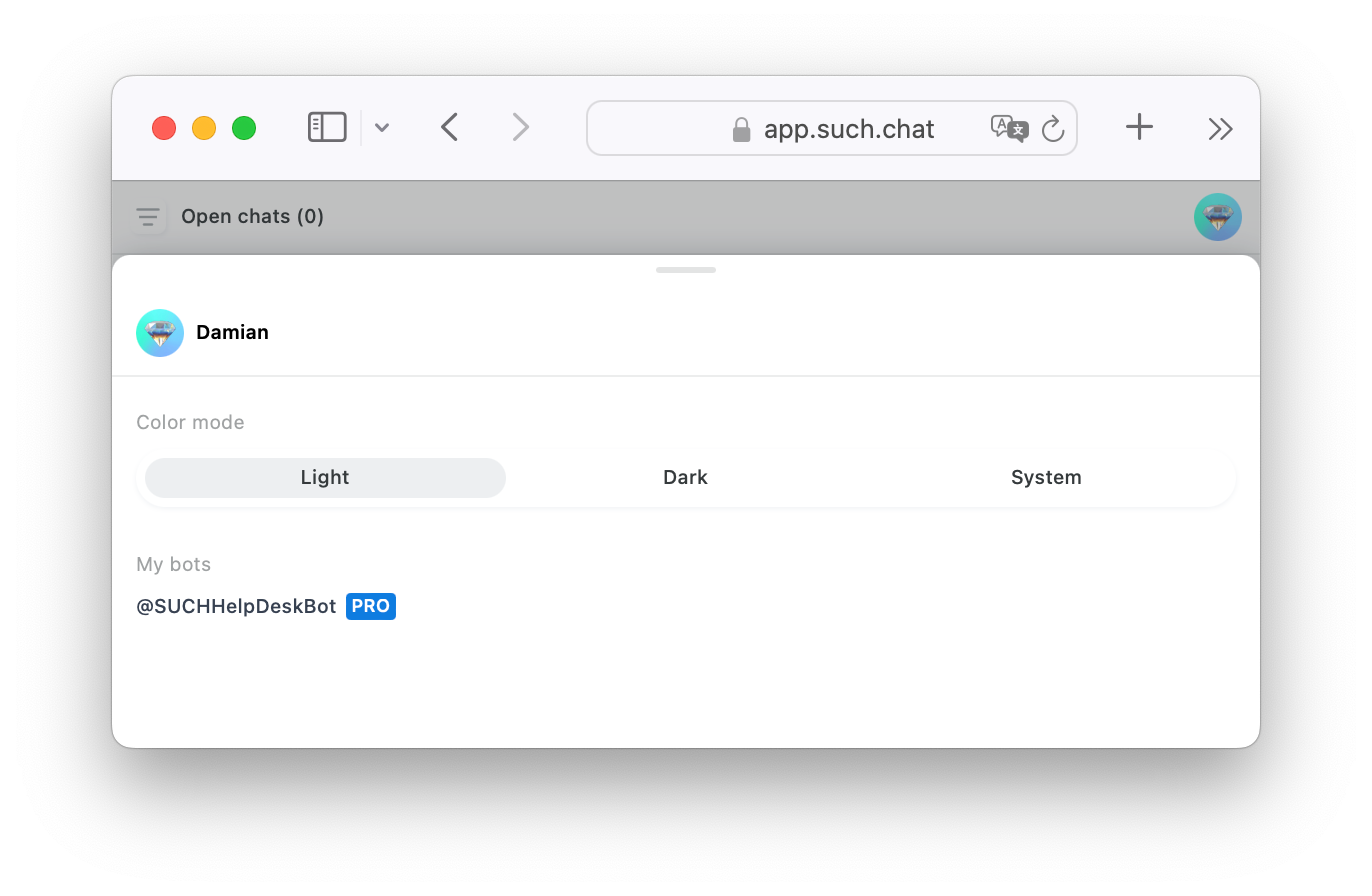
- Go to https://app.such.chat and access your bot's Project Settings. To do so, click on your account icon/photo at the top right corner of the screen, then the name of your bot.
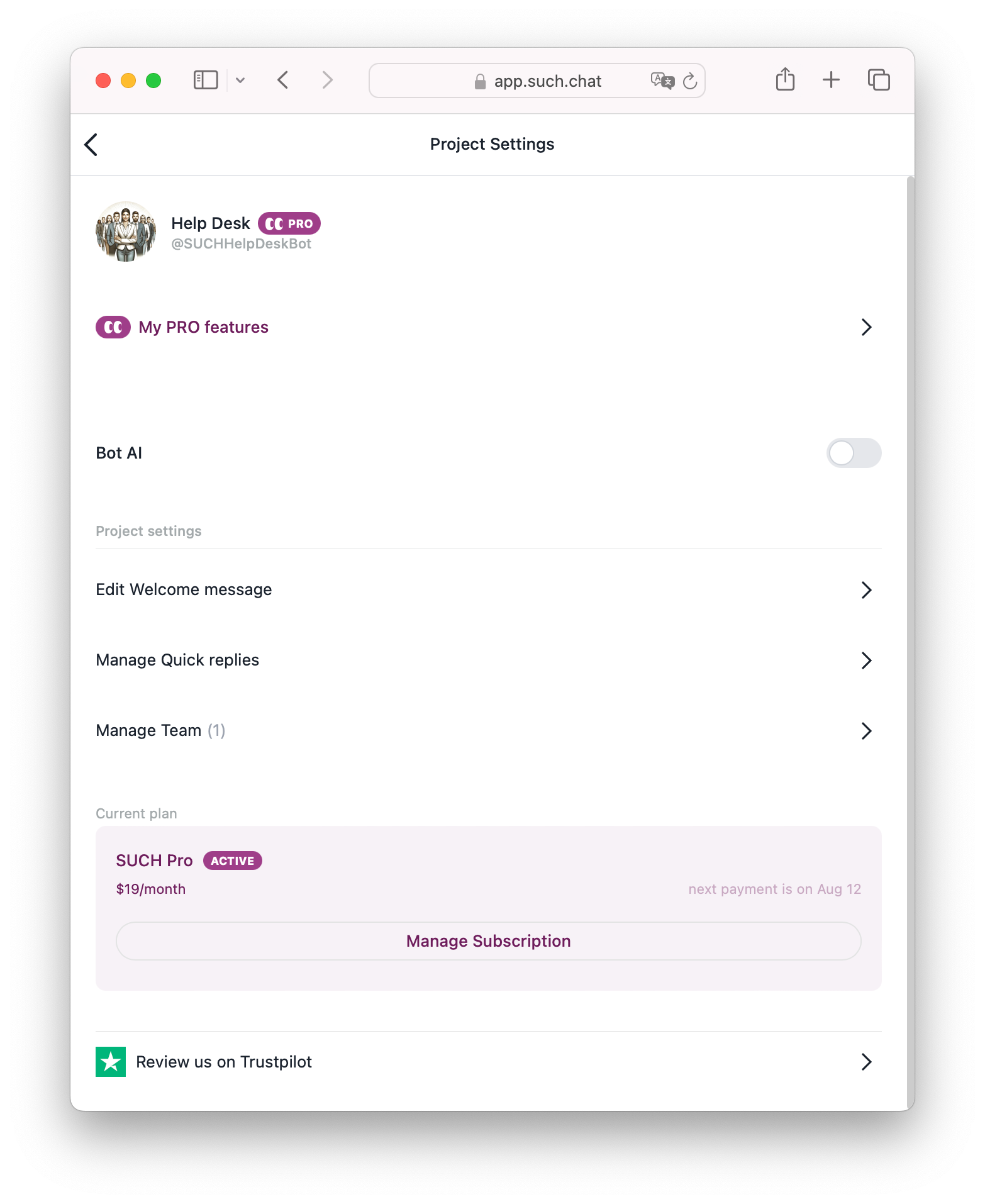
- Click on Manage Quick replies in the Quick Replies area.
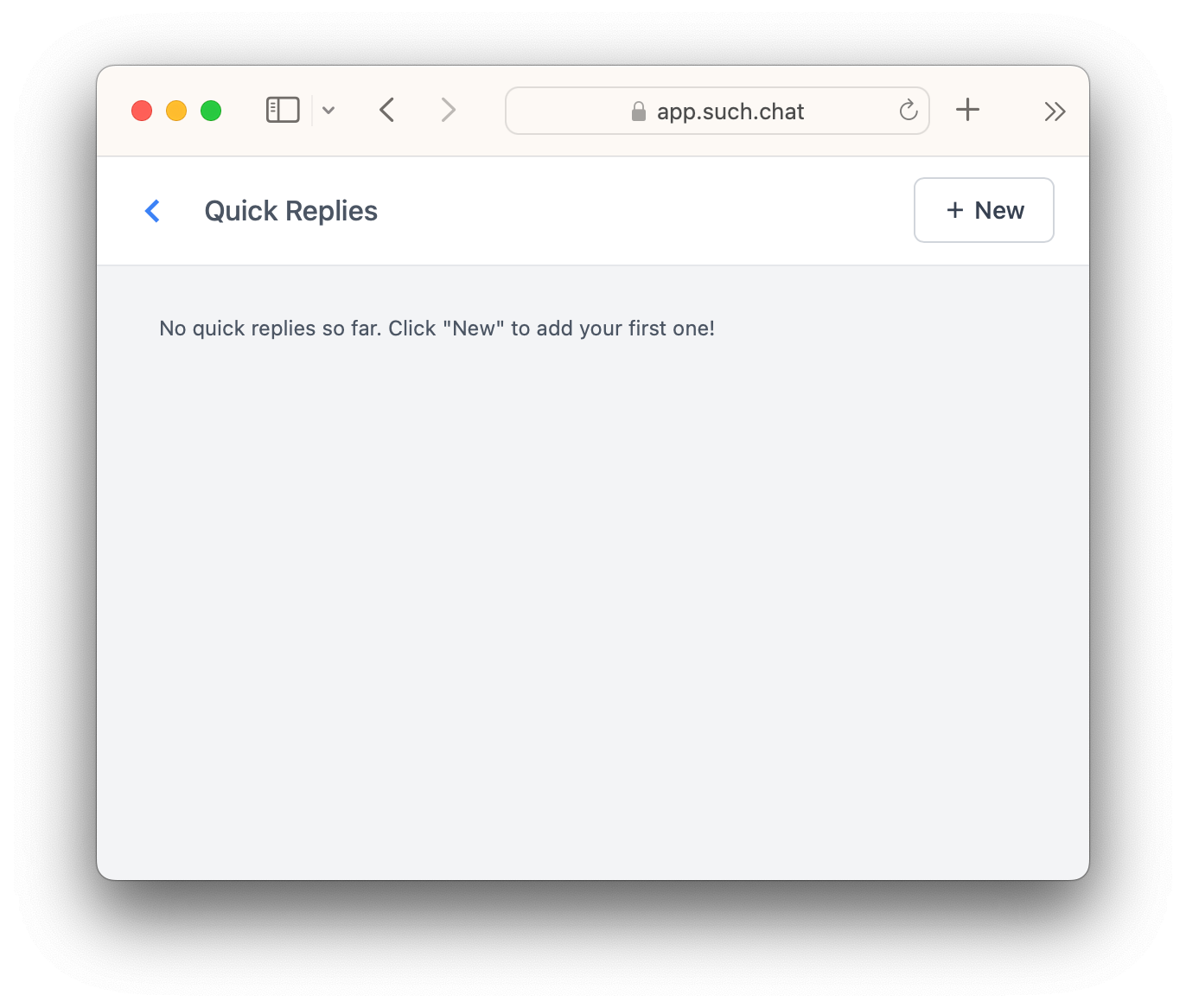
- Press the “+ New” button at the top right.
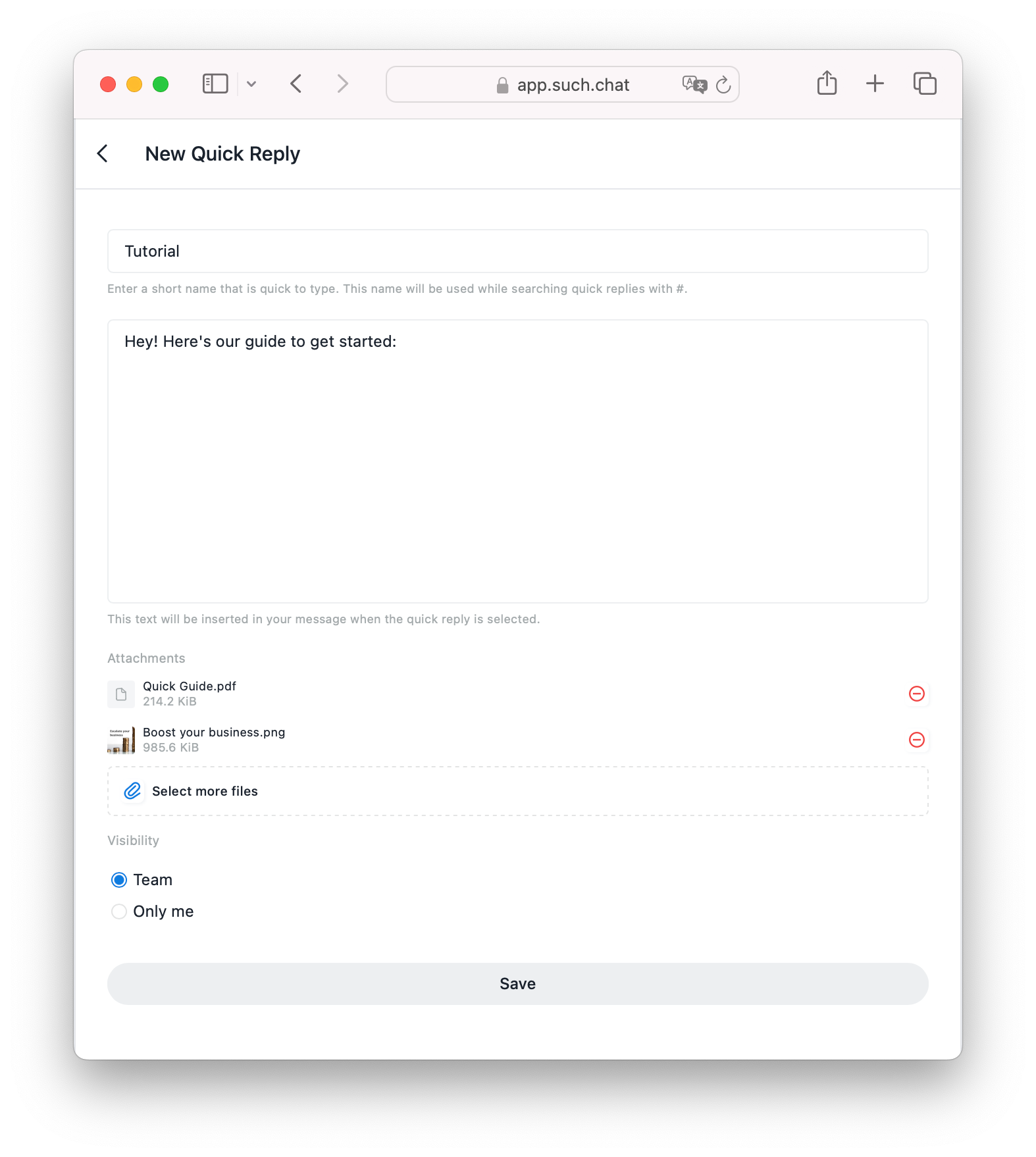
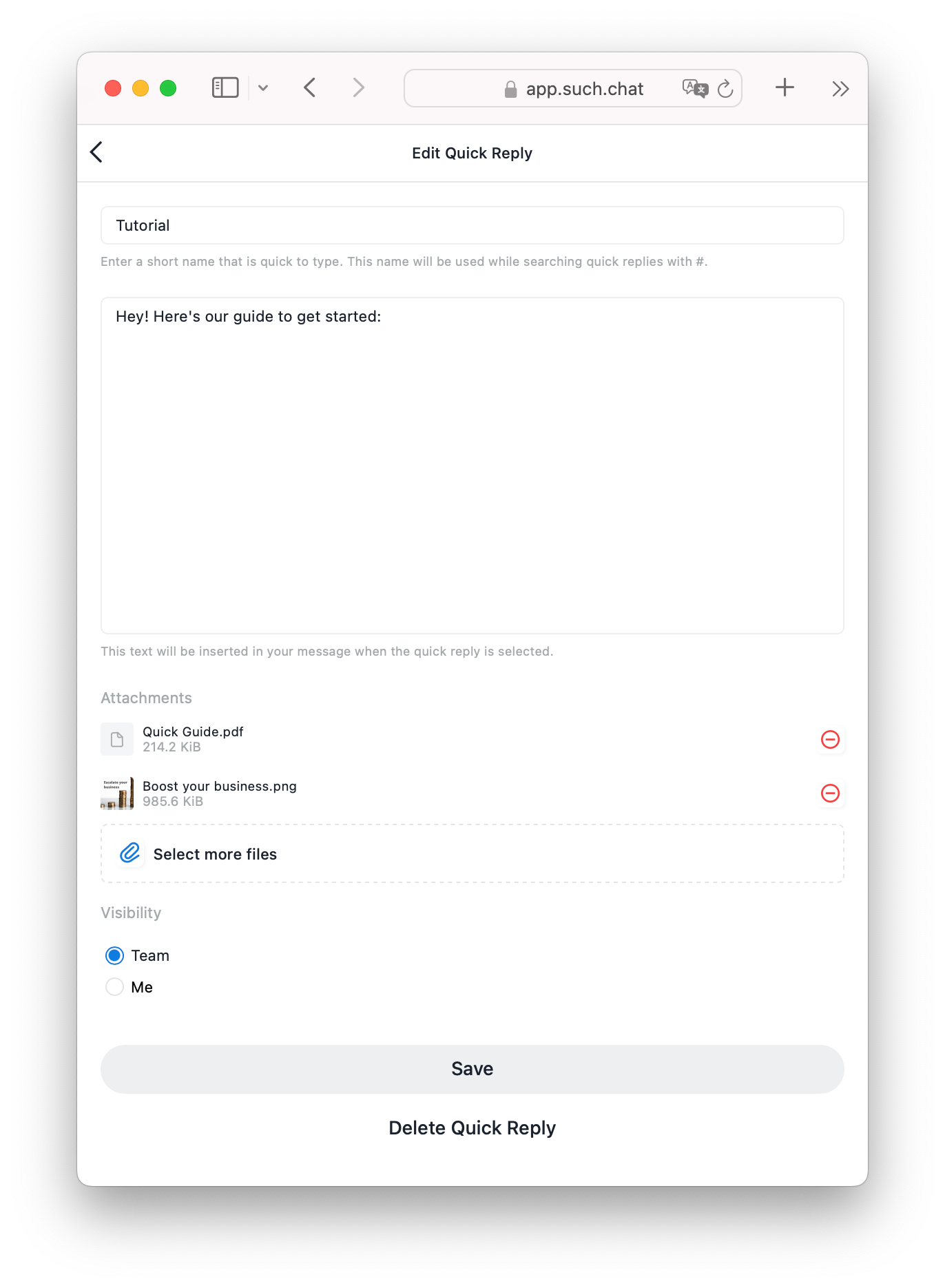
- Give the Quick Reply a short name. You will use this name to find it with the
#command on the SUCH web app chats. - Attach files with the “Select files” button.
- Press “Save”.
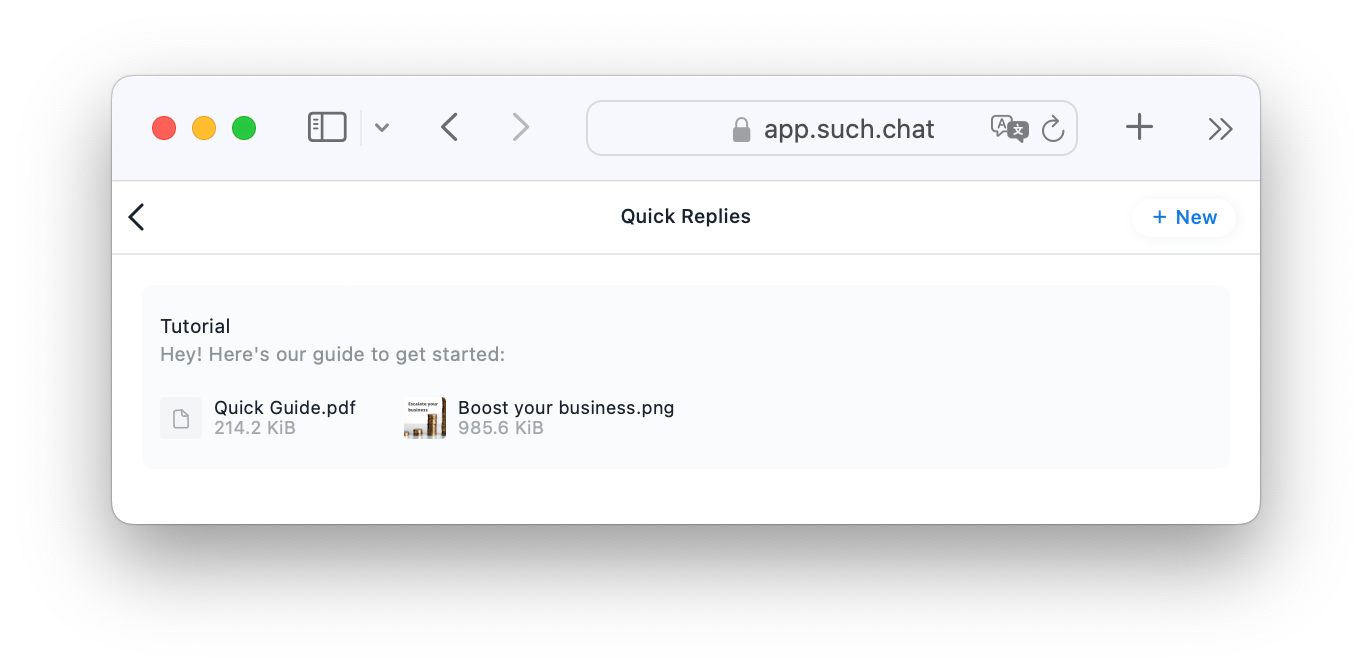
To remove a quick reply, go back to Manage Quick Replies, select the one you want to remove, and click “Delete Quick Reply” at the bottom.
Using Quick Replies
To use a quick reply, just type # in any SUCH web app chat and select your reply from the list.
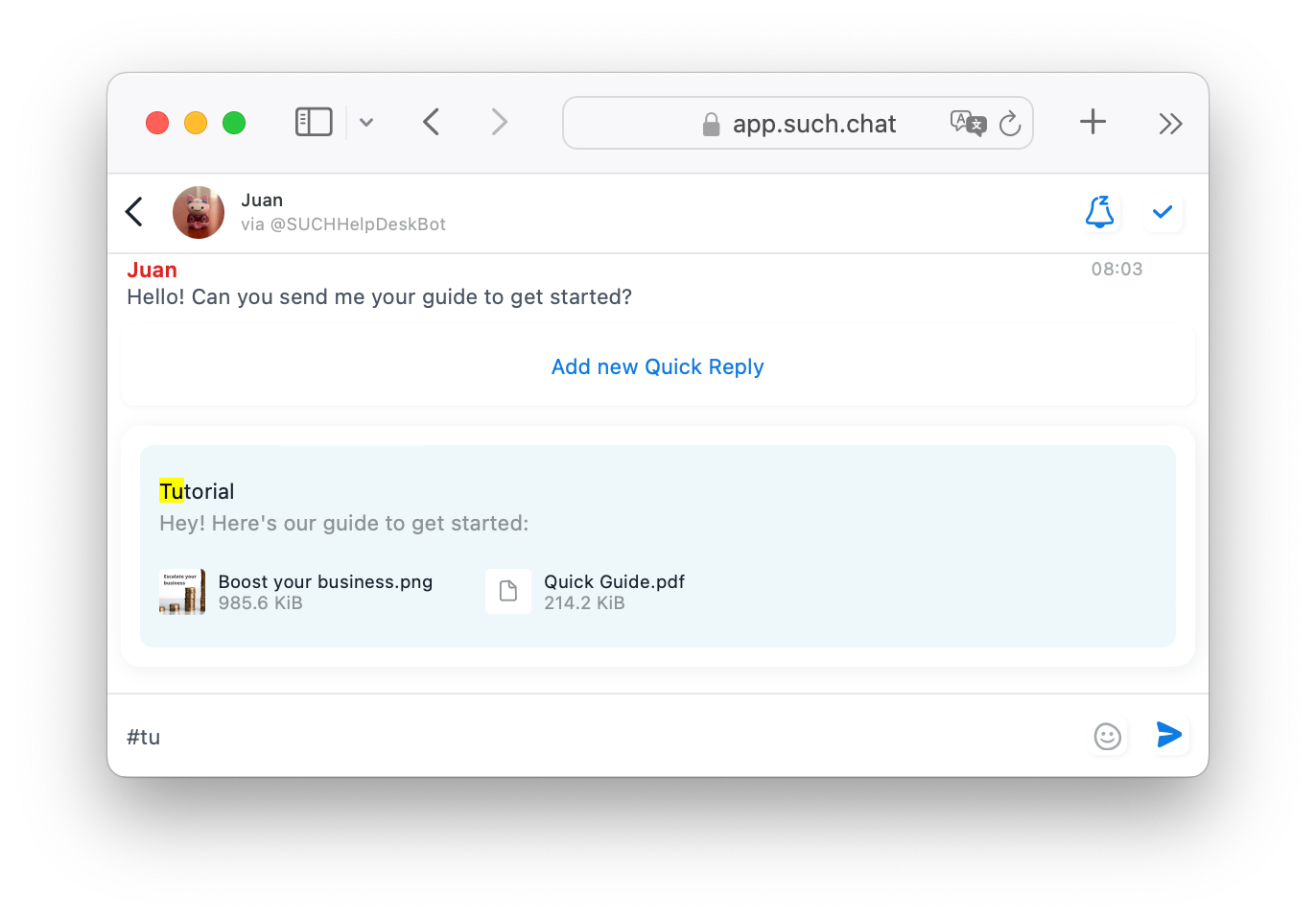
You can press "Add new Quick Reply" above the menu to add a new one, or long press or right-click an existing message and select “Save as Quick Reply”.