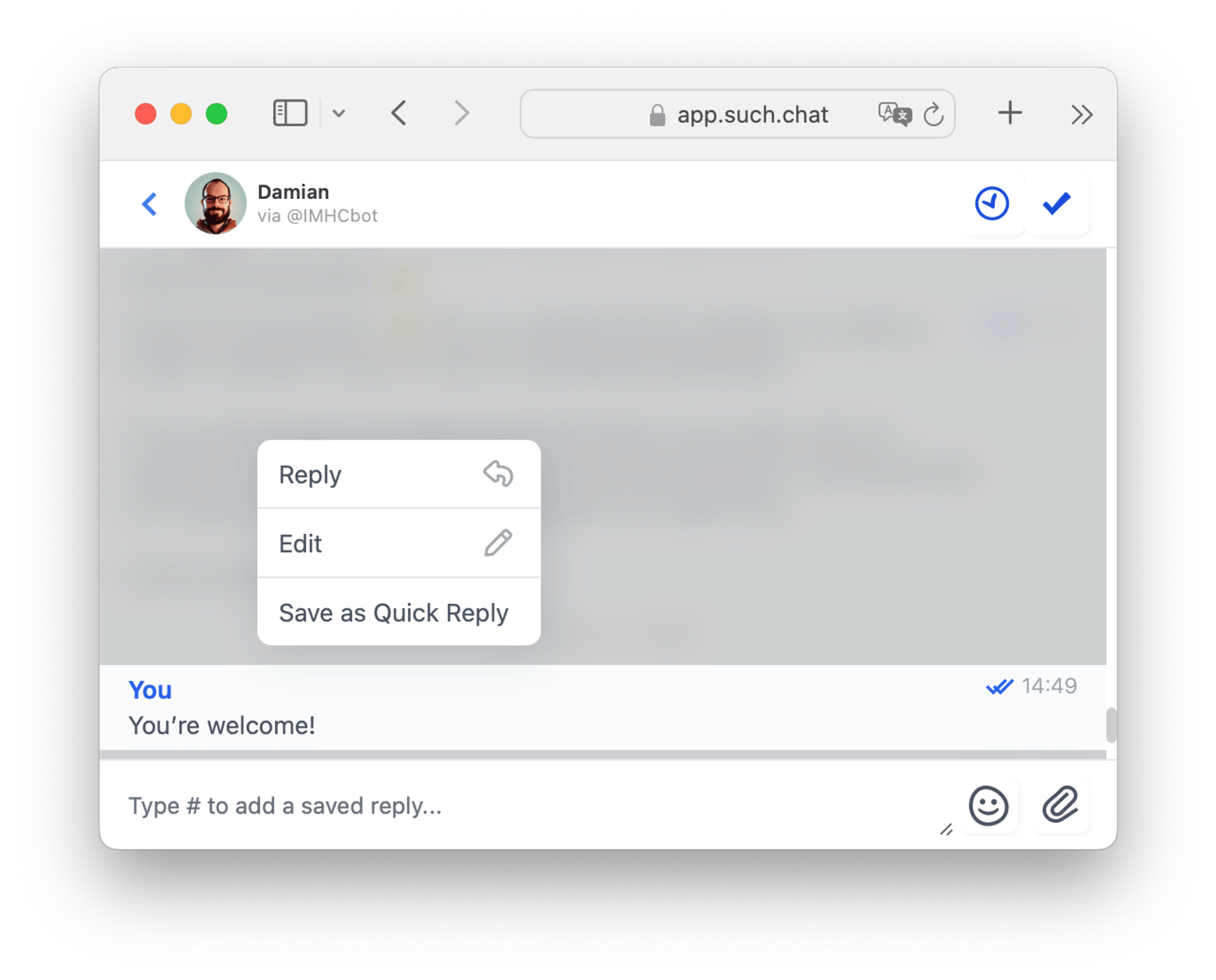
Make your answers faster on SUCH by using Quick Replies.
Here's how:
- Go to https://app.such.chat and access your bot's Project Settings. To do so, click on your account icon/photo, then the name of your bot.
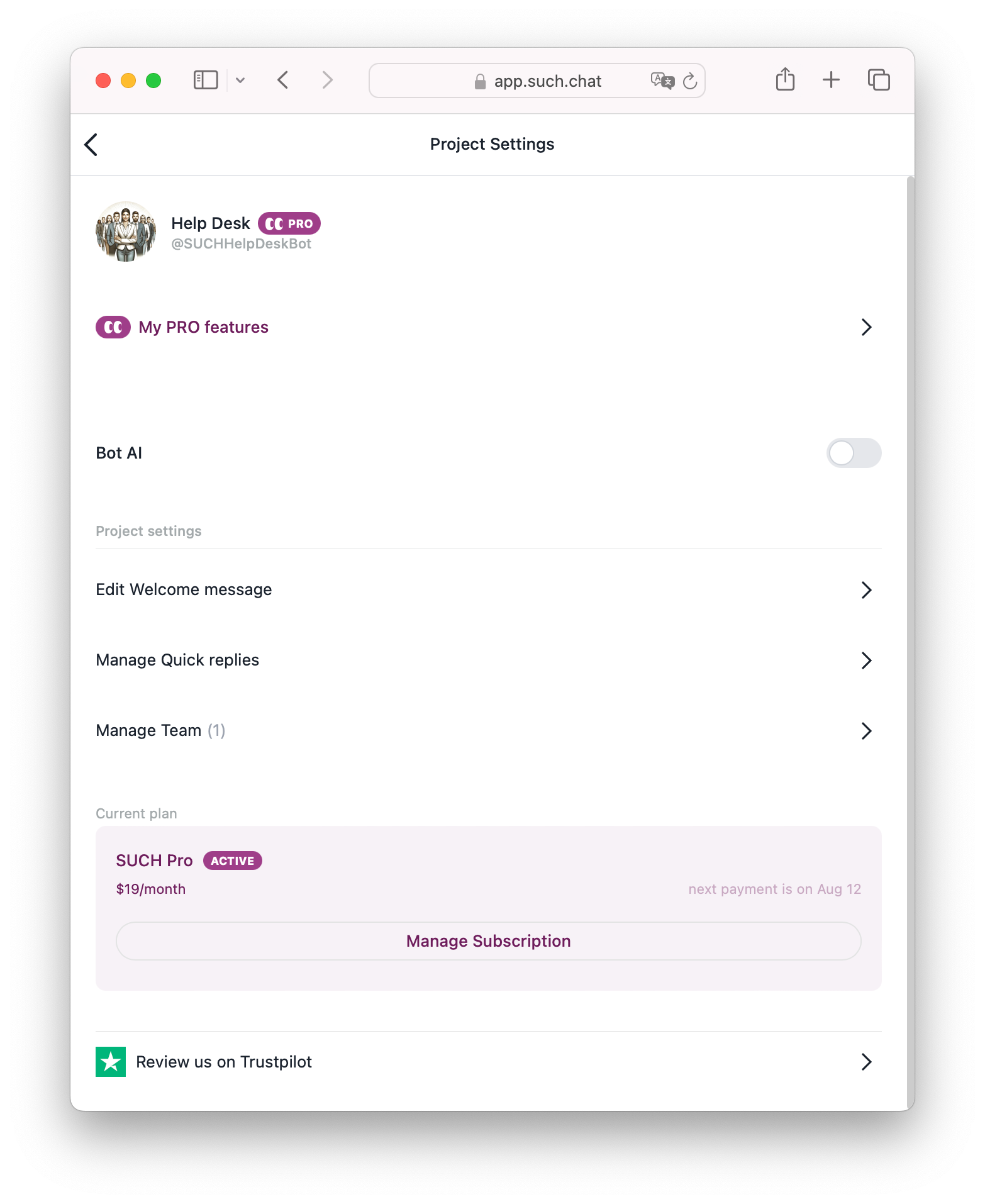
- Click on Manage Quick Replies in the Quick Replies area.
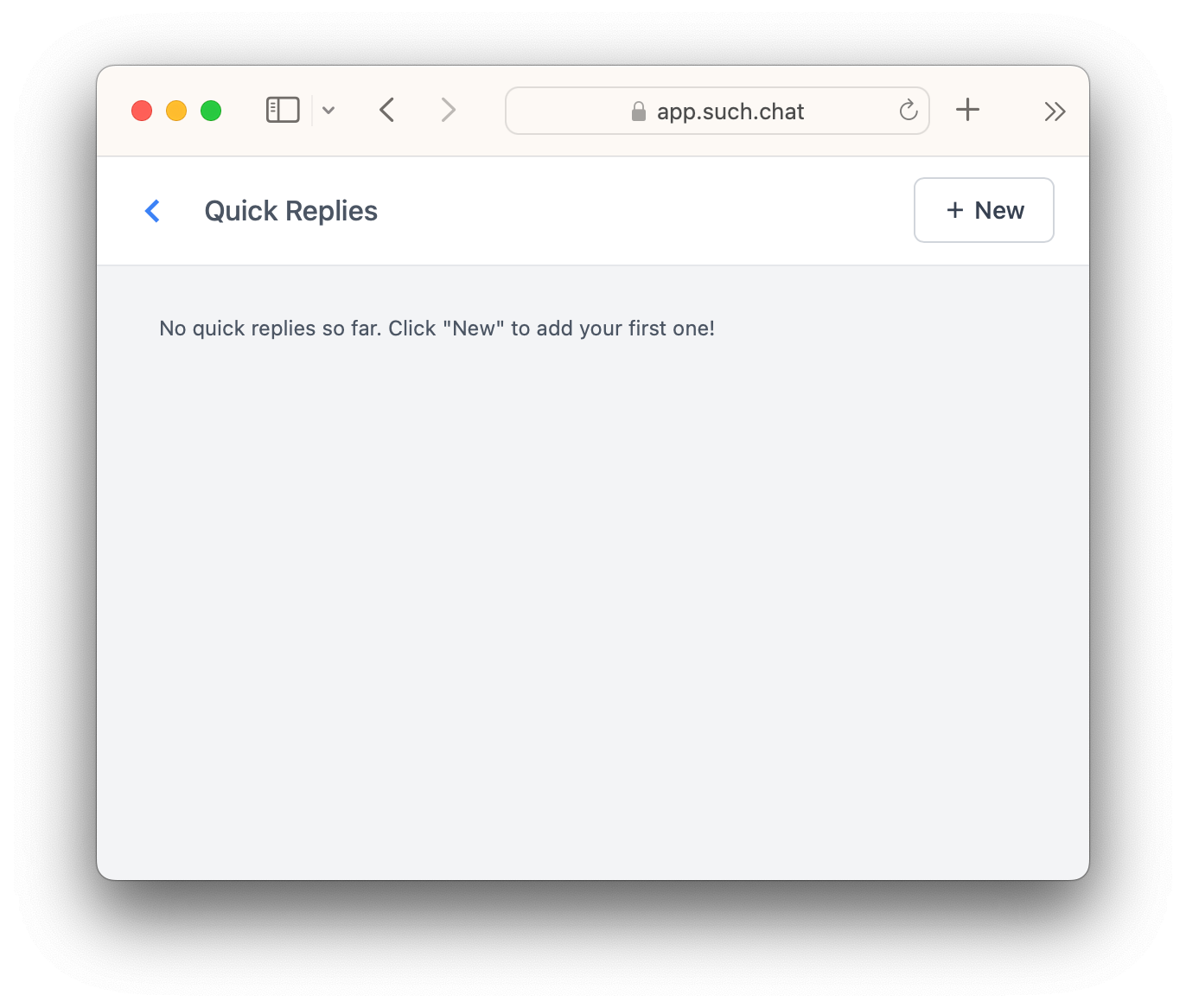
- Press the “+ New” button at the top right.
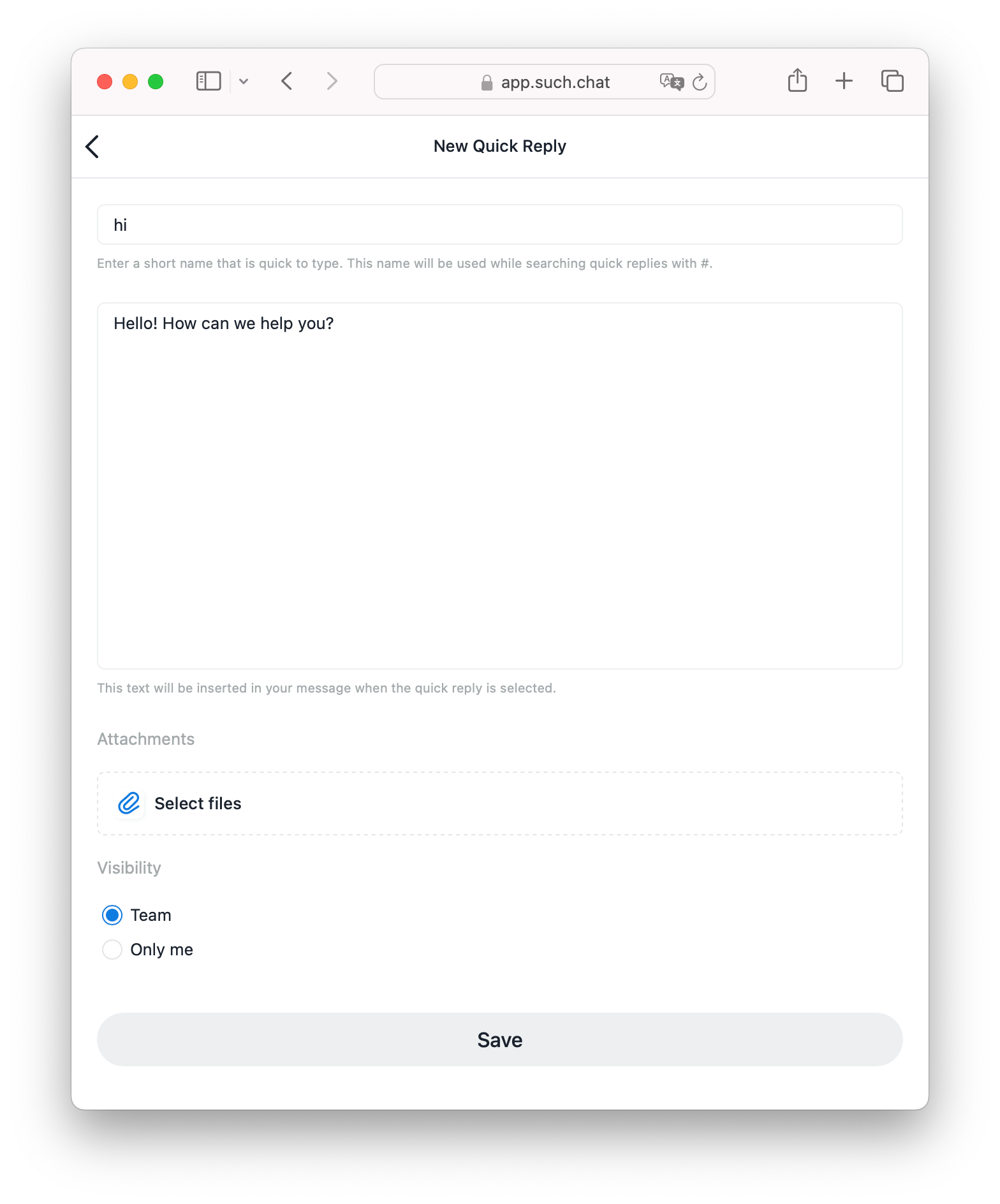
- Give the Quick Reply a short name. You will use this name to find it with the
#command on the SUCH web app. - Write the text for the Quick Reply. This text will be put in your message when you pick the quick reply.
- Choose who can see the Quick Reply: the team or just you.
- PRO bot users can also attach files with the “Select files” button.
- Press “Save”.
To remove a quick reply, go back to Manage Quick Replies, select the one you want to remove, and click “Delete Quick Reply” at the bottom.
How to use and add quick replies
To use a quick reply, just type # in SUCH web app and select it from the list.
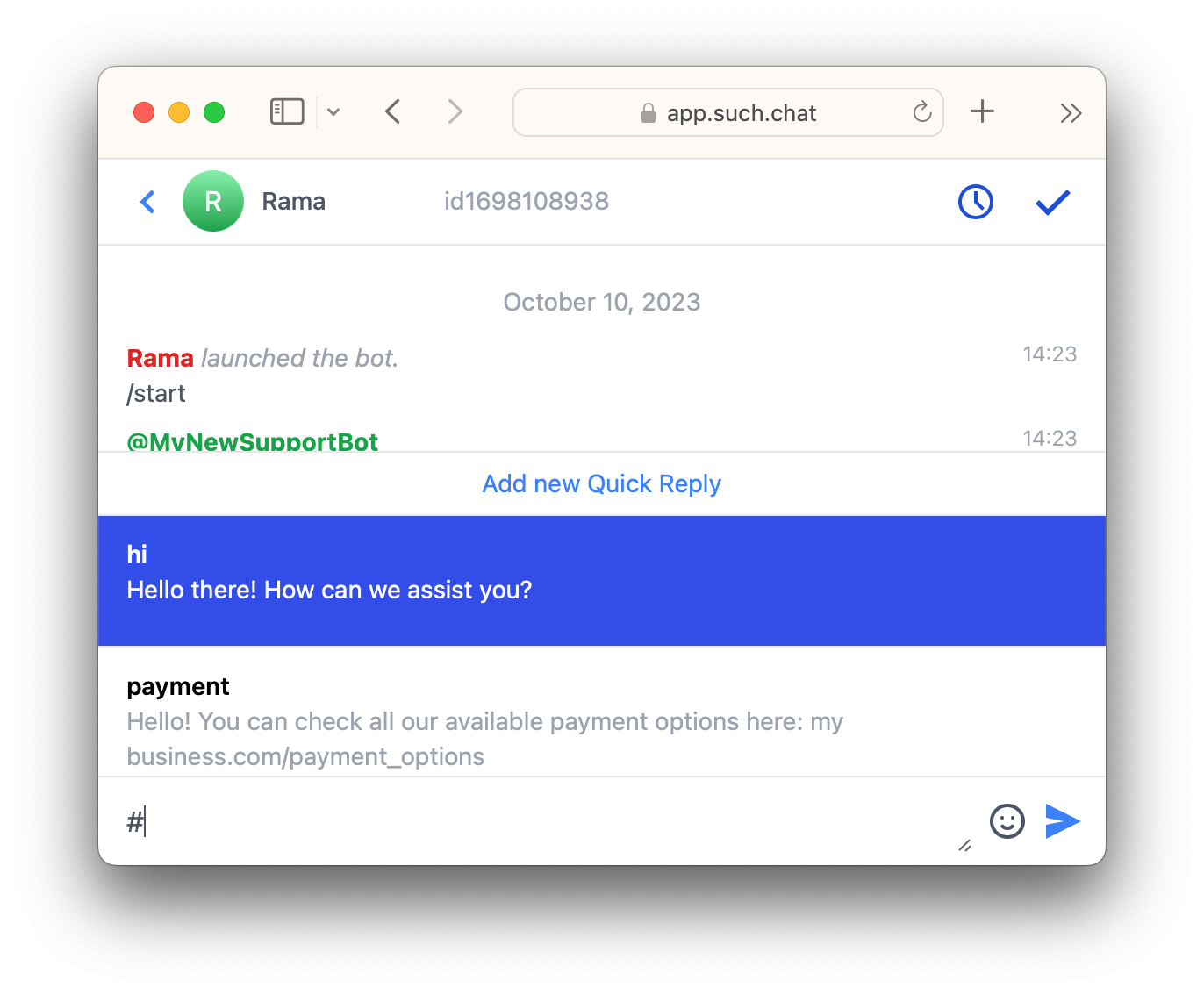
You can press "Add new Quick Reply" above the menu to add one, or long press an existing message and select “Save as Quick Reply”.