
Download a copy of your SUCH account data, conversations from projects you own, or both.
Project conversations can only be exported by the project owner. Conversations from team projects owned by someone else are not included.
Open Data & Privacy
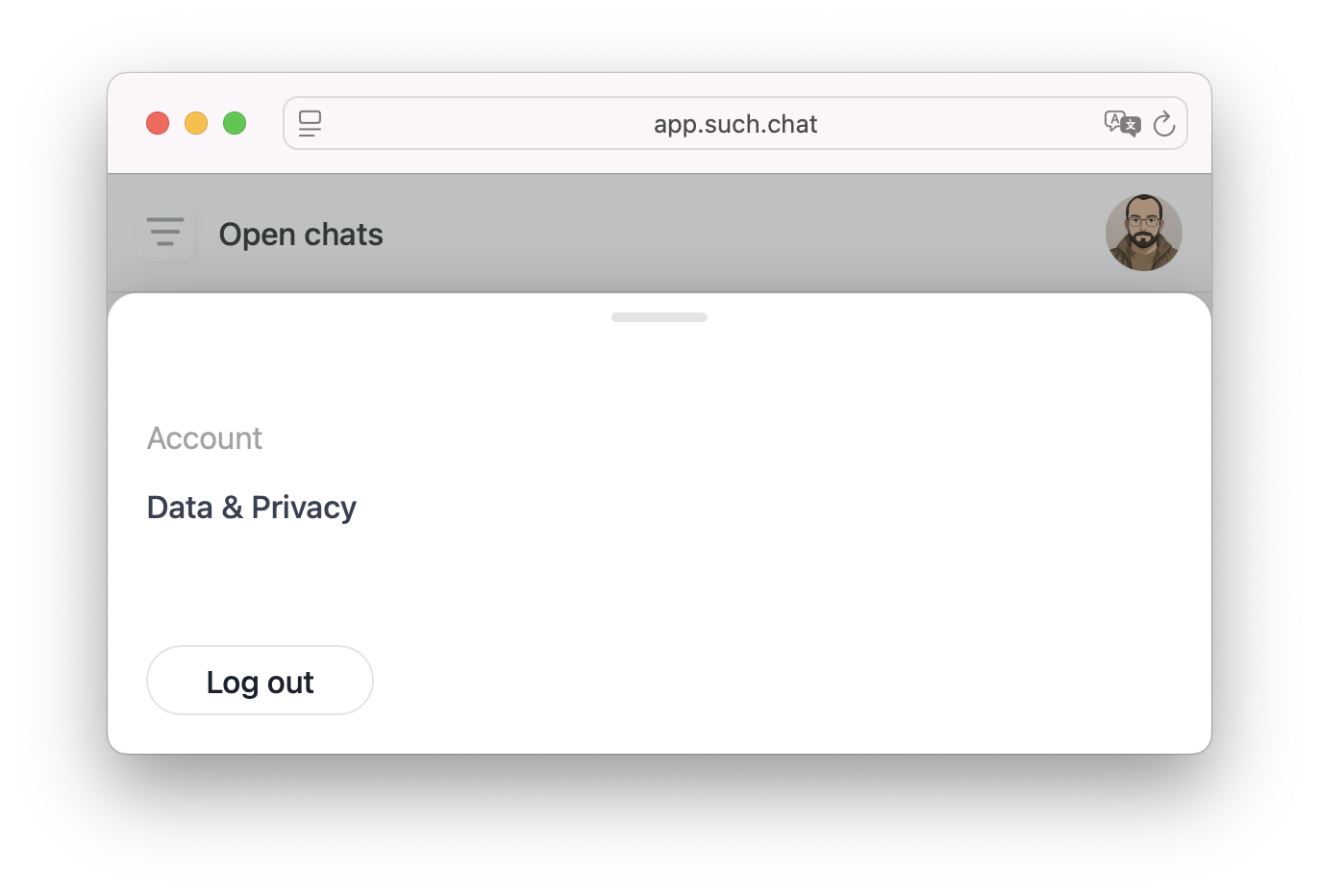
- Open the SUCH web app.
- Click or tap the display picture at the top right.
- Scroll down to the Account section.
- Select Data & Privacy.
- Click Export data.
Choose what to export
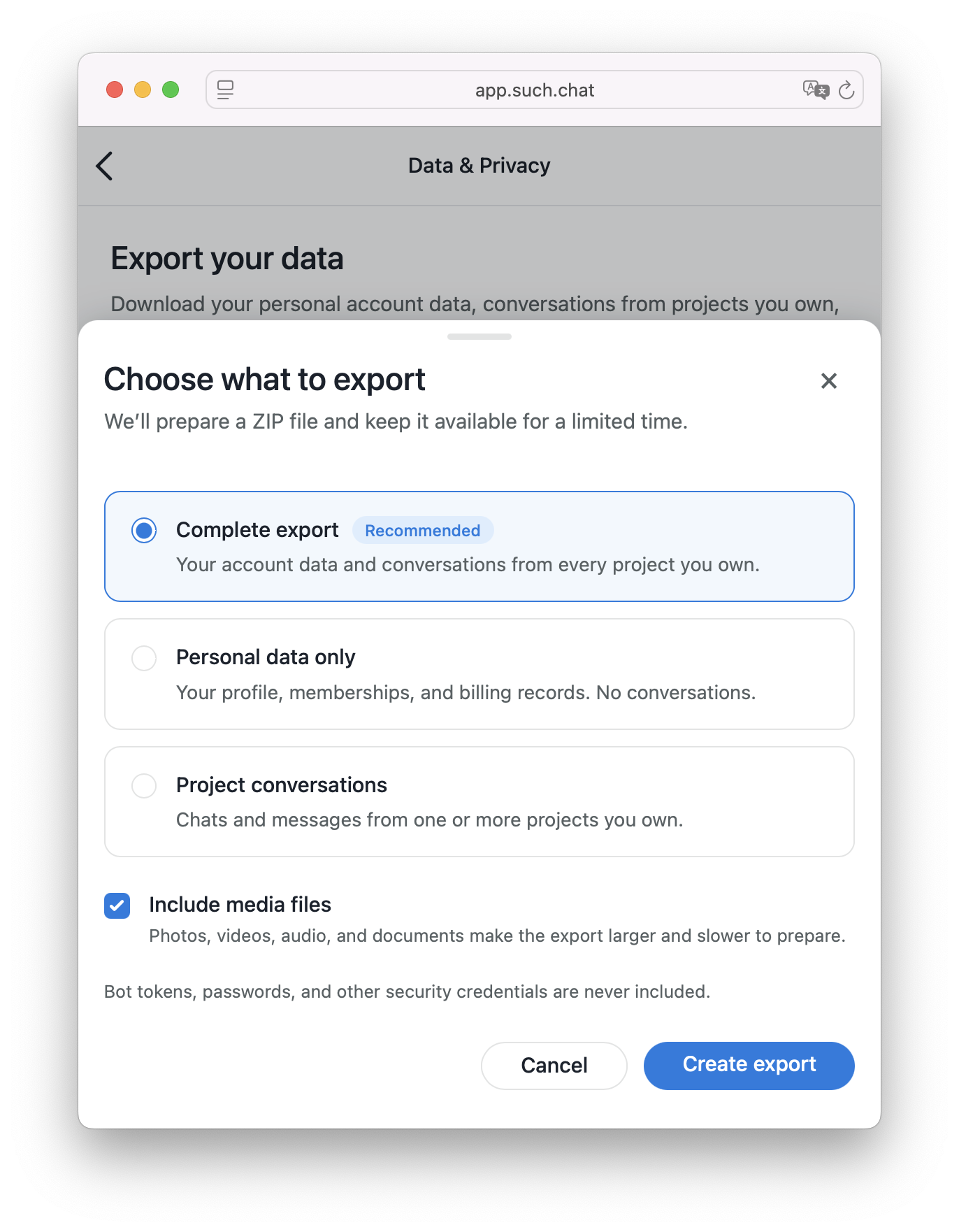
Select one of the available export options:
Complete export
This is the recommended option.
It includes your personal account data and conversations from every project you own.
Personal data only
This includes your profile, memberships, and billing records.
Project conversations are not included.
Project conversations
This includes chats and messages from one or more projects you own.
After choosing this option, select the projects you want to include.
Include media files
Leave Include media files checked to add photos, videos, audio files, and documents to your export.
Media can make the ZIP file larger and take longer to prepare. Uncheck this option if you only need the conversation transcripts and structured data.
When everything is selected, click Create export.
Download your export
Your request will appear under Recent exports.
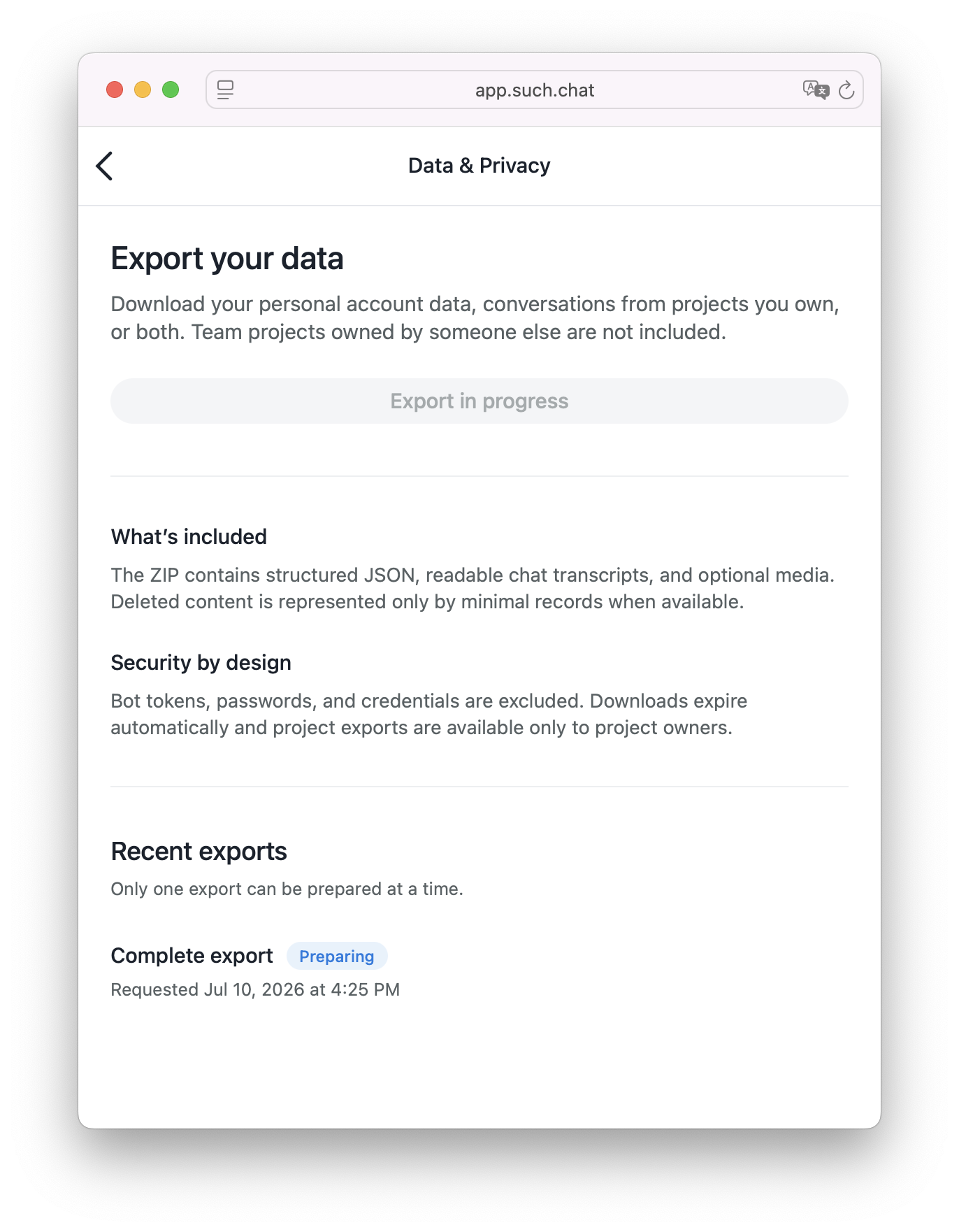
Only one export can be prepared at a time. Wait for the current export to finish before requesting another one.
When the export is ready, download the ZIP file from this section. Downloads are only available for a limited time and expire automatically. If your download expires, create a new export.
Security
Bot tokens, passwords, and other security credentials are never included.
Only project owners can export project conversations. Being a team member or agent does not give you permission to export a project’s chats.
FAQ
Why can’t I see one of my projects?
Only projects you own can be included. Projects owned by another person will not appear in your project export.
Can I export conversations from more than one project?
Yes. Choose Project conversations, then select one or more projects you own.
You can also choose Complete export to include conversations from every project you own.
Can I export only my personal information?
Yes. Choose Personal data only to export your profile, memberships, and billing records without any conversations.
Can I create several exports at the same time?
No. Only one export can be prepared at a time.
Does the export include media files?
Media files are included when Include media files is checked. Uncheck it to create a smaller export without photos, videos, audio, or documents.