
Choose who talks to your bot by banning some users.
Using /ban stops them from sending messages to you or your support group.
How to ban a user
To ban someone, go to your bot or support group chat. Swipe or double-click on their message and answer with /ban.
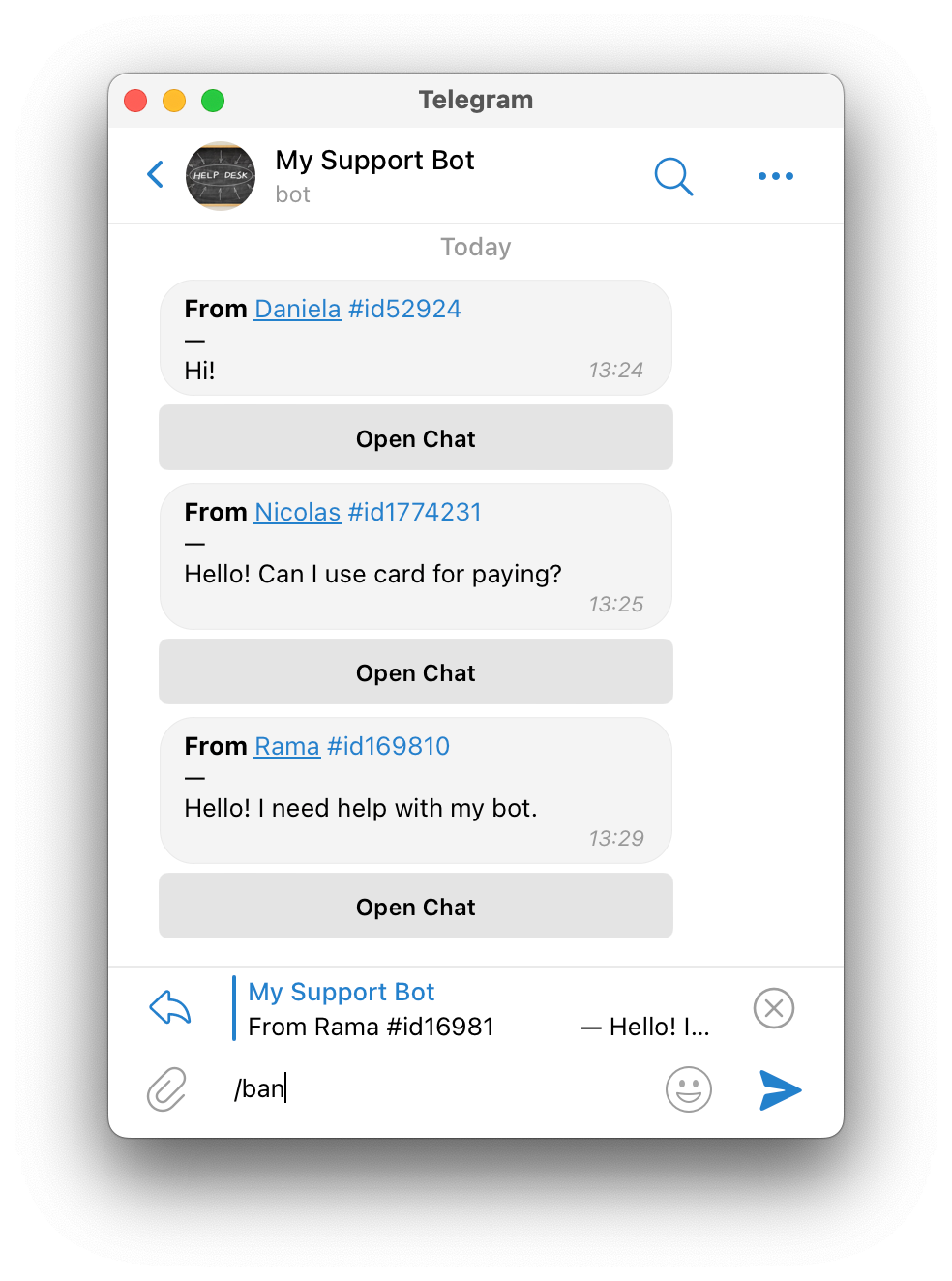
After this, they will be banned.
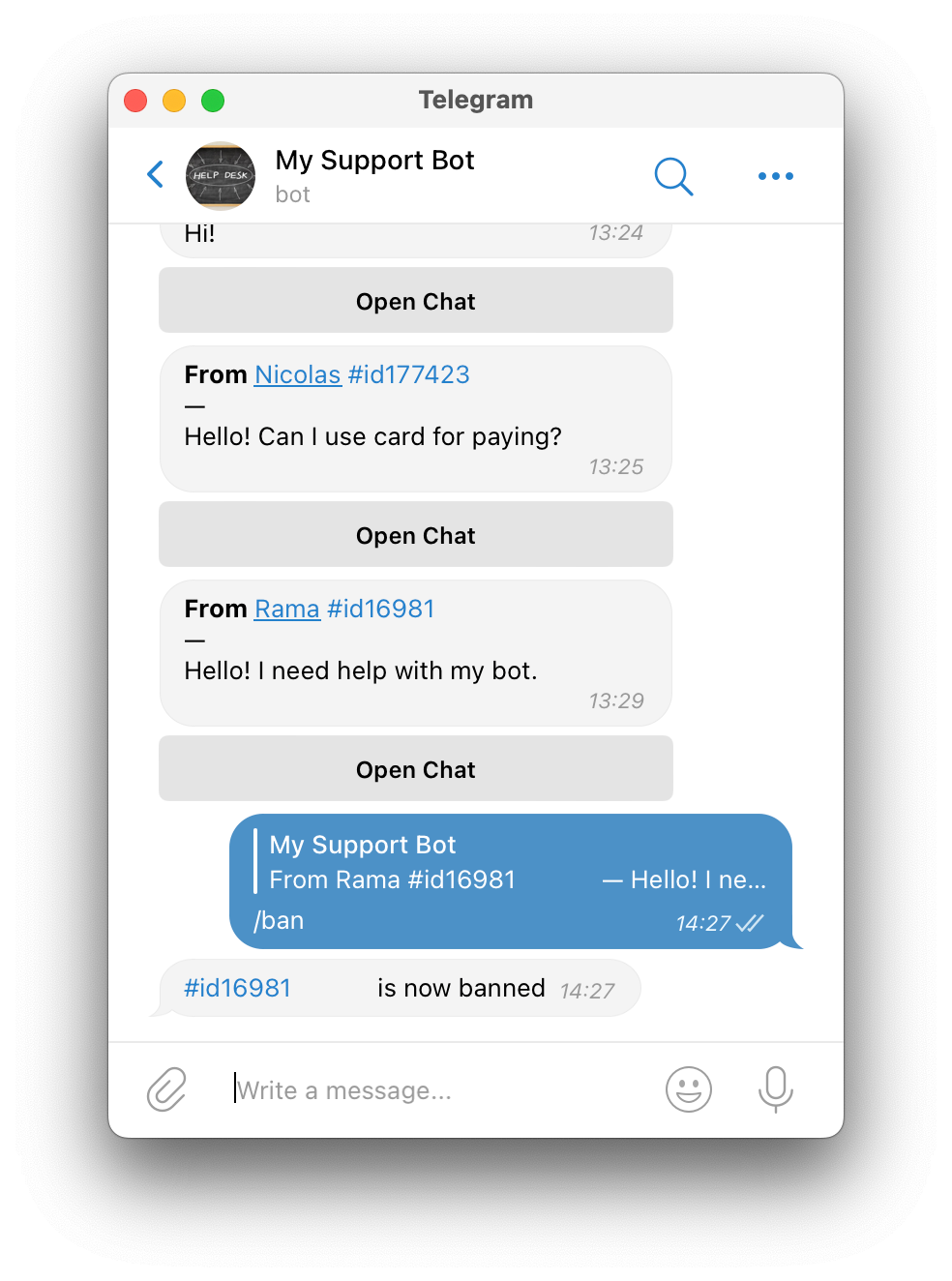
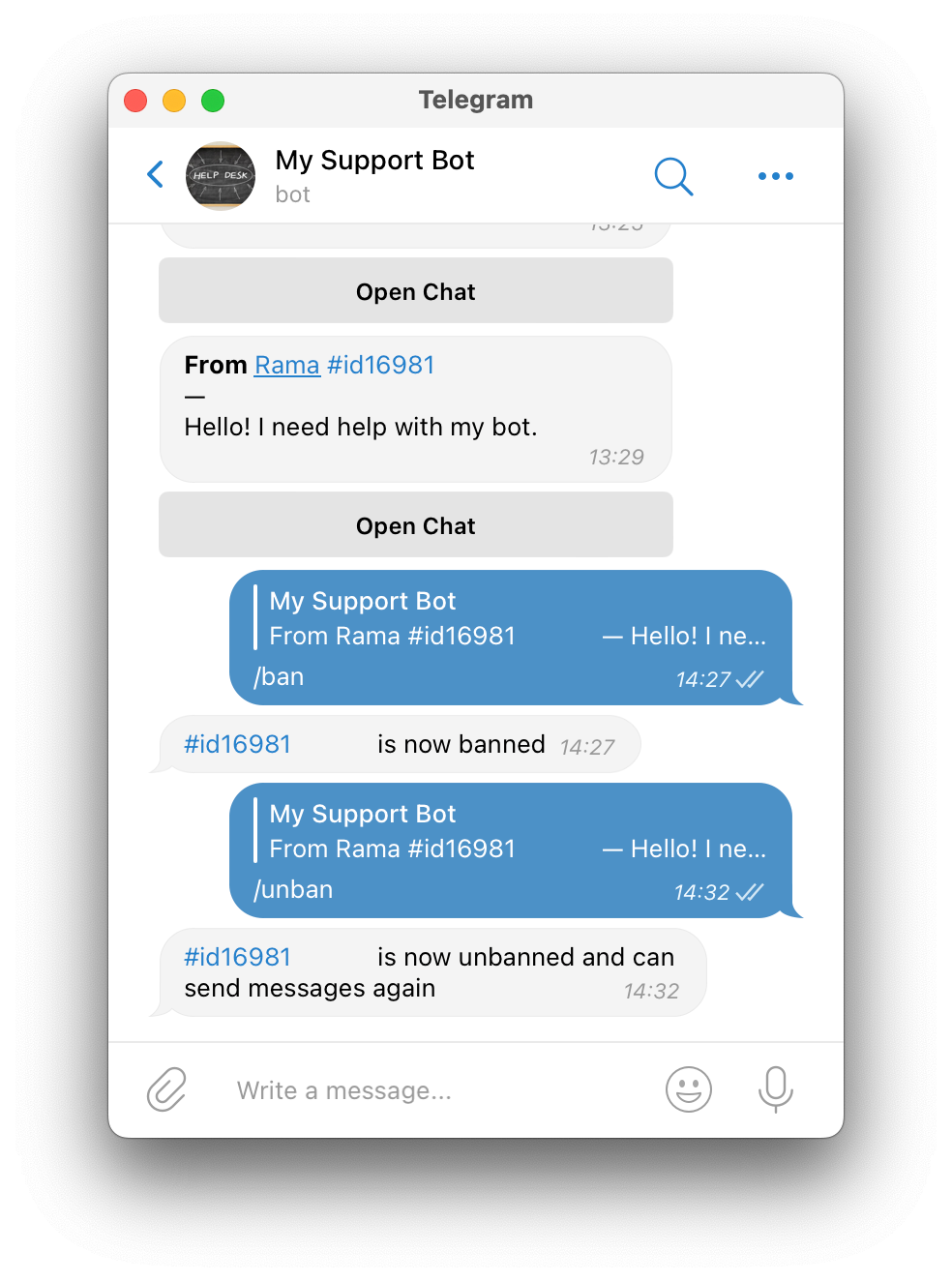
To let them talk again, answer with /unban.
Deleting all notifications from a user
If someone spams too many messages, you can get rid of them all.
Answer with /delete_notifications to one of their messages.
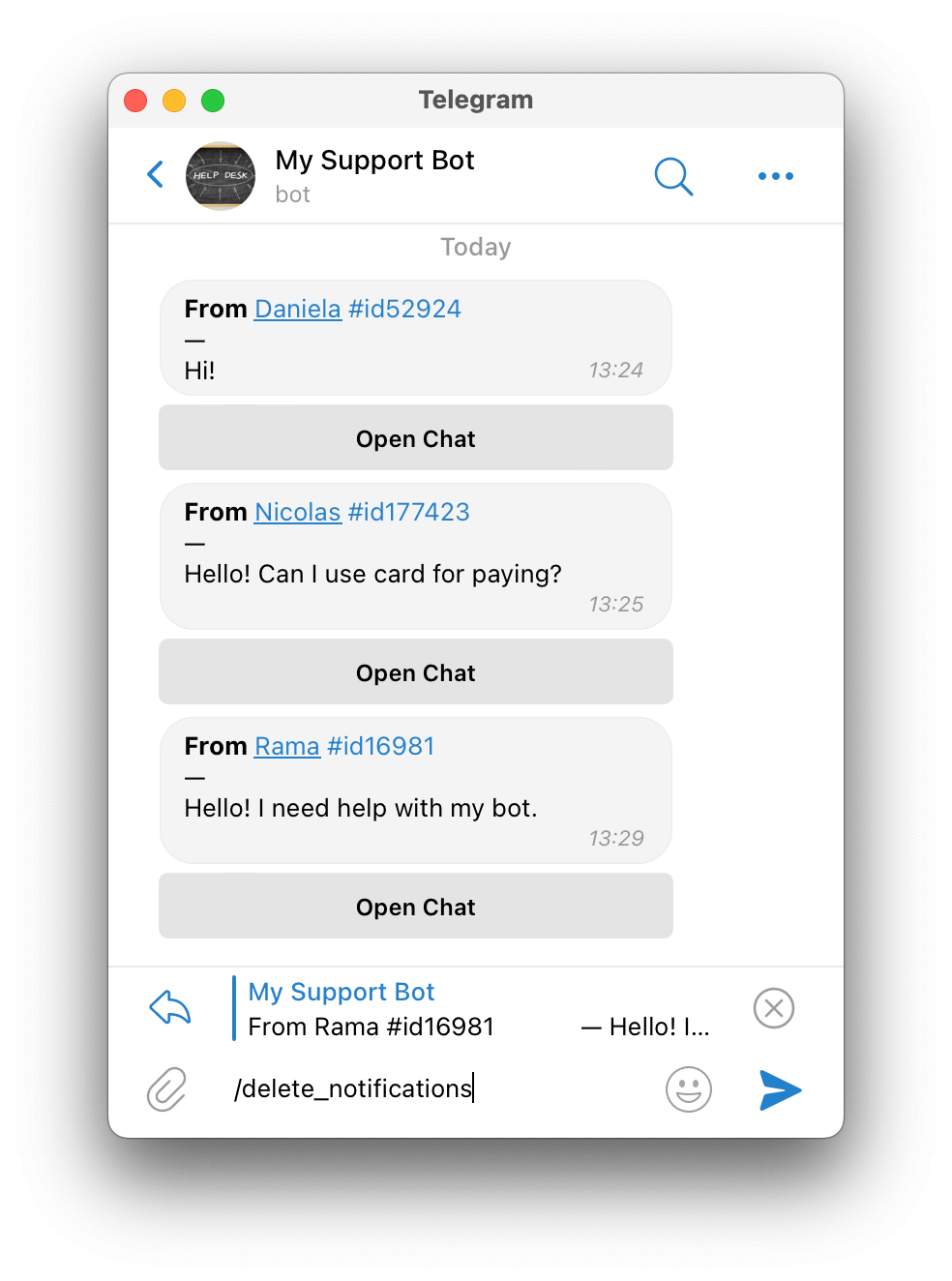
After this, their messages go away from your bot or group, and SUCH web app.