
You can make your channel posts on SUCH more interactive by adding buttons that users can click.
Here’s how to do it:
- Make the @SUCH bot an admin in your channel.
- Send
/channel_buttonto SUCH on Telegram.
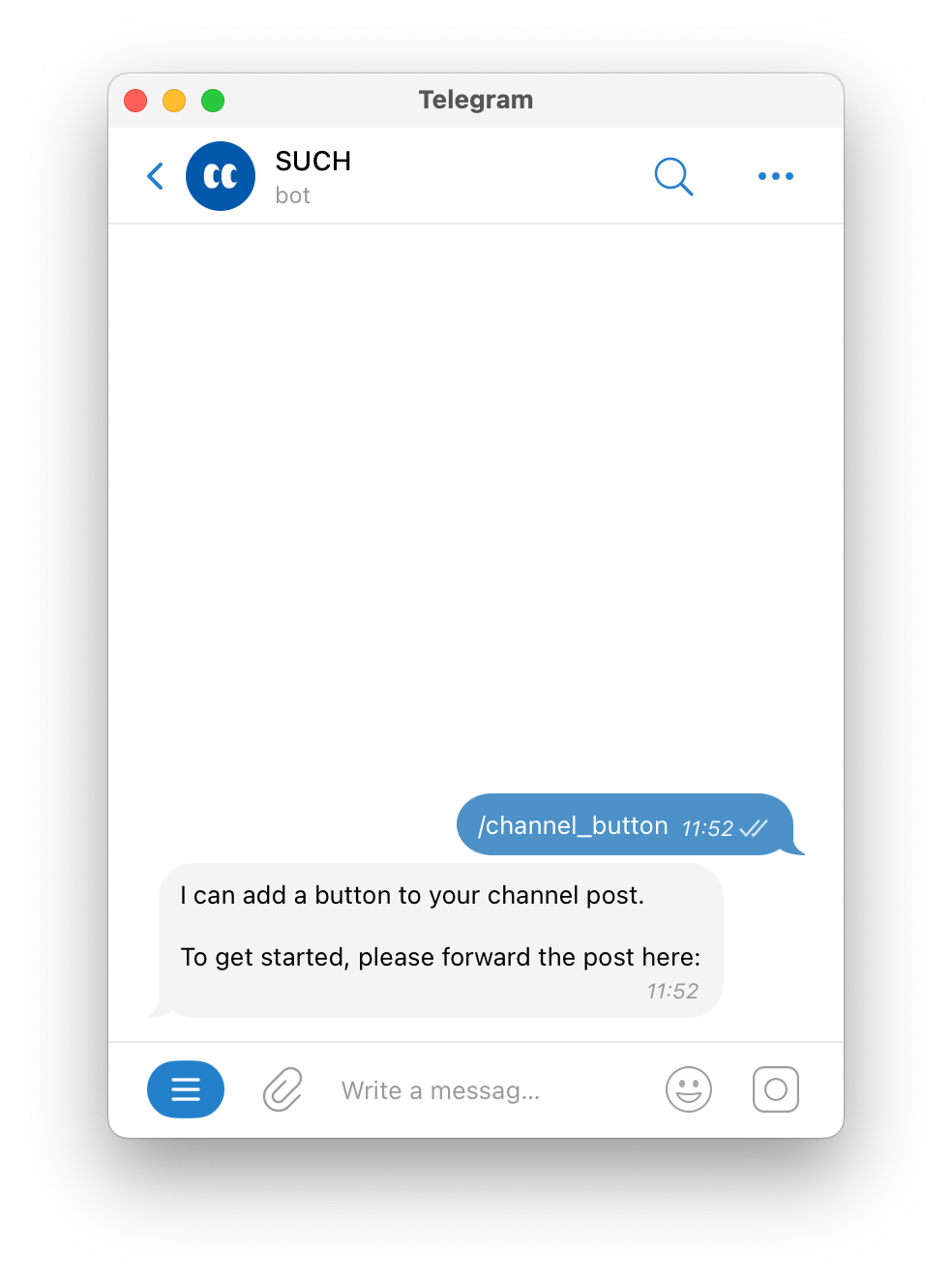
- Forward the post you want to add a button to, from your channel to SUCH.
- Send the text for the button, and then the URL it will open. You can use your SUCH bot link too. Make sure the URL starts with "http://" or "https://", and includes a domain name like "example.com".
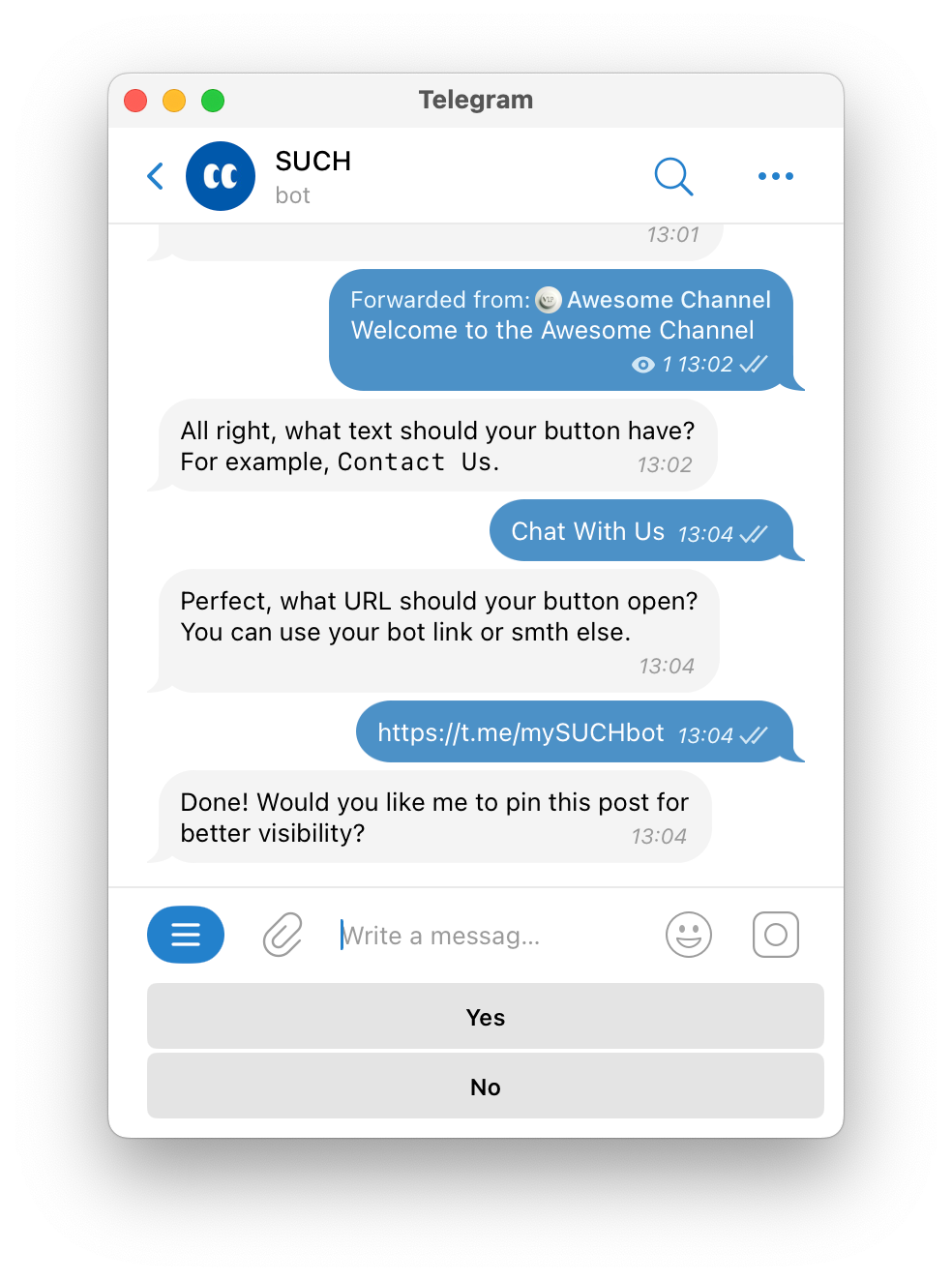
- Choose if you want to pin the post in your channel. You can pin it or unpin it manually at any time in your channel.
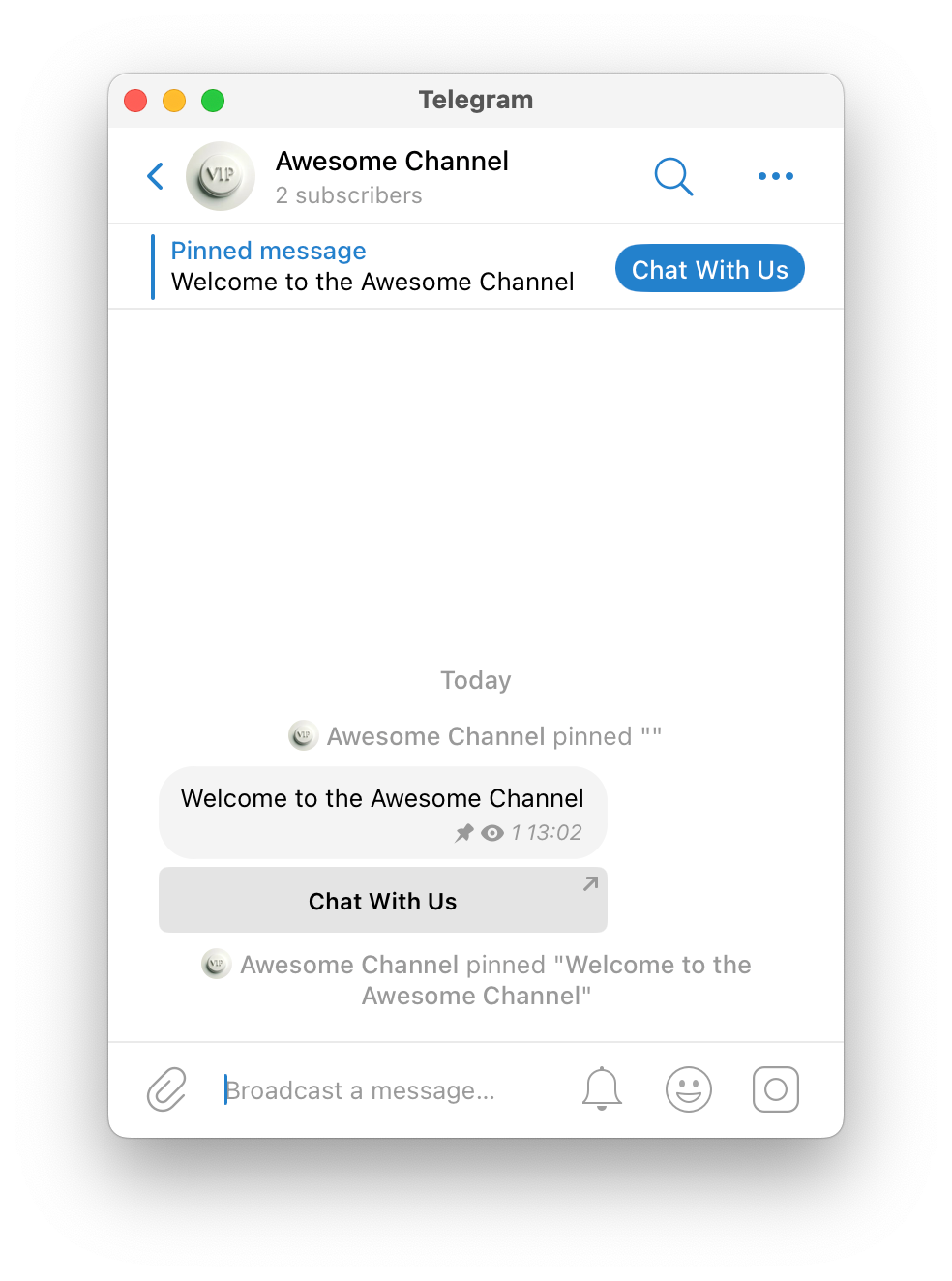
Now, your post will have a clickable button, and you can pin it so everyone sees it first thing in your channel.
How to Remove a Button from a Channel Post
To remove a button from a channel post, you'll need to delete the original post and create a new one without the button. Currently is not possible editing or removing buttons from existing posts.