
Make your support or feedback bot more interactive with custom commands.
Here's how:
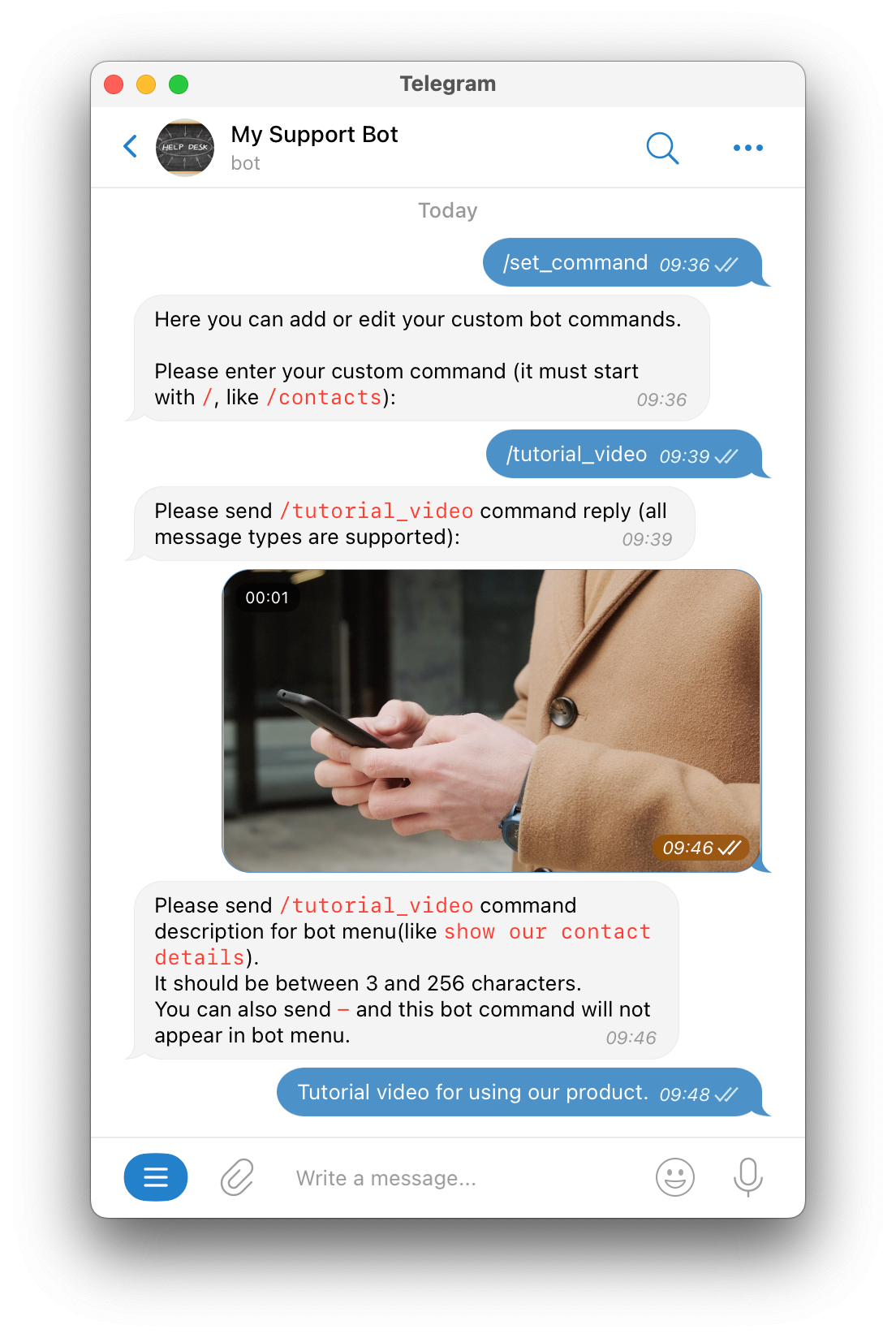
- Send
/set_commandto your bot. - Send the command you want to create, it should start with
/(For example:/tutorial_video). - Send the message the bot will send back. All message types work (text, link, video, photo, and files).
- Send a short description for the command (3 to 256 letters). If you don’t want this command to appear in the bot’s menu, send
-.
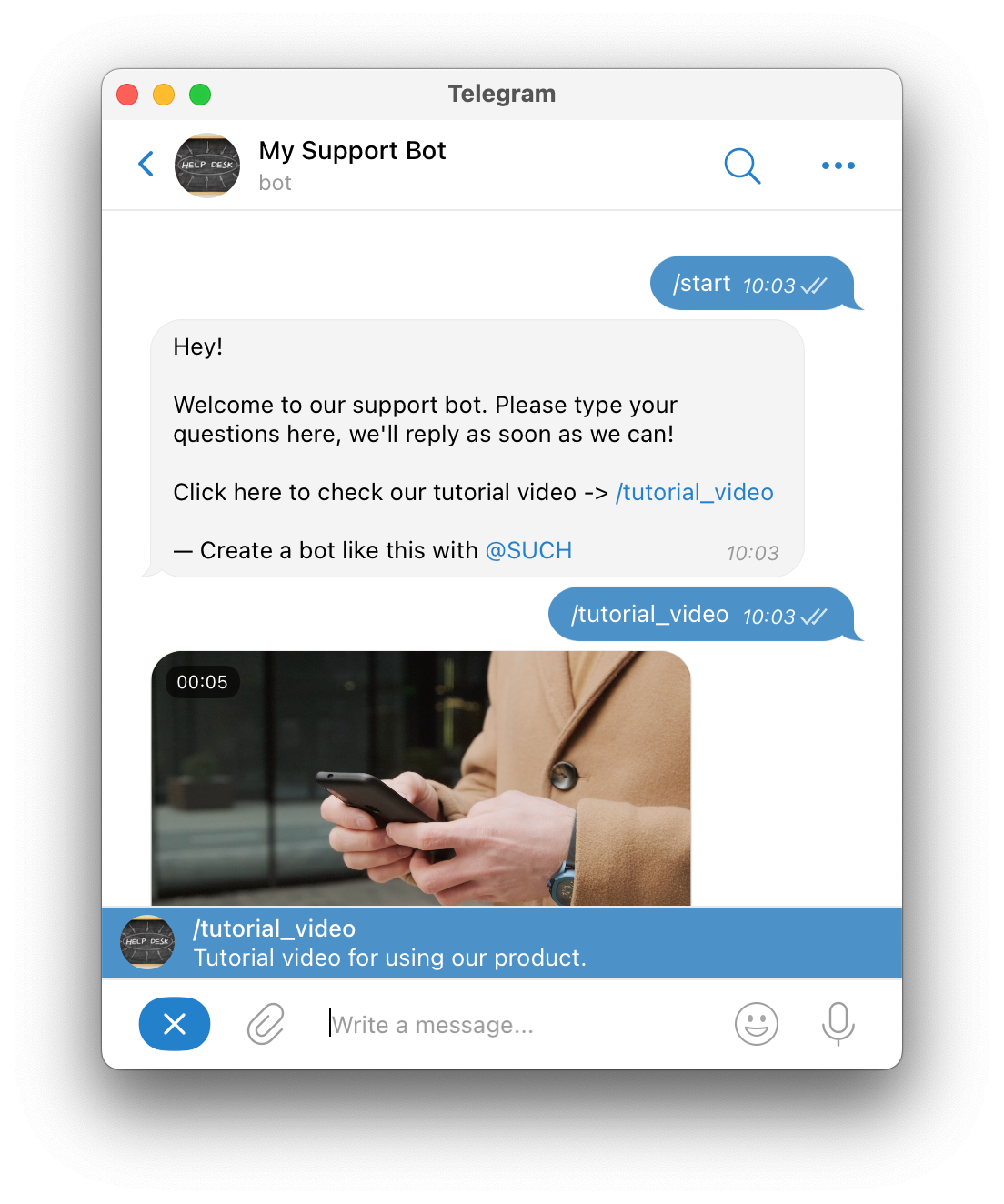
Finished! Now you can put the new command in:
- your welcome message,
- the messages for your bot users,
- or other command replies.
The command will always appear as a clickable link.
How to remove a custom command
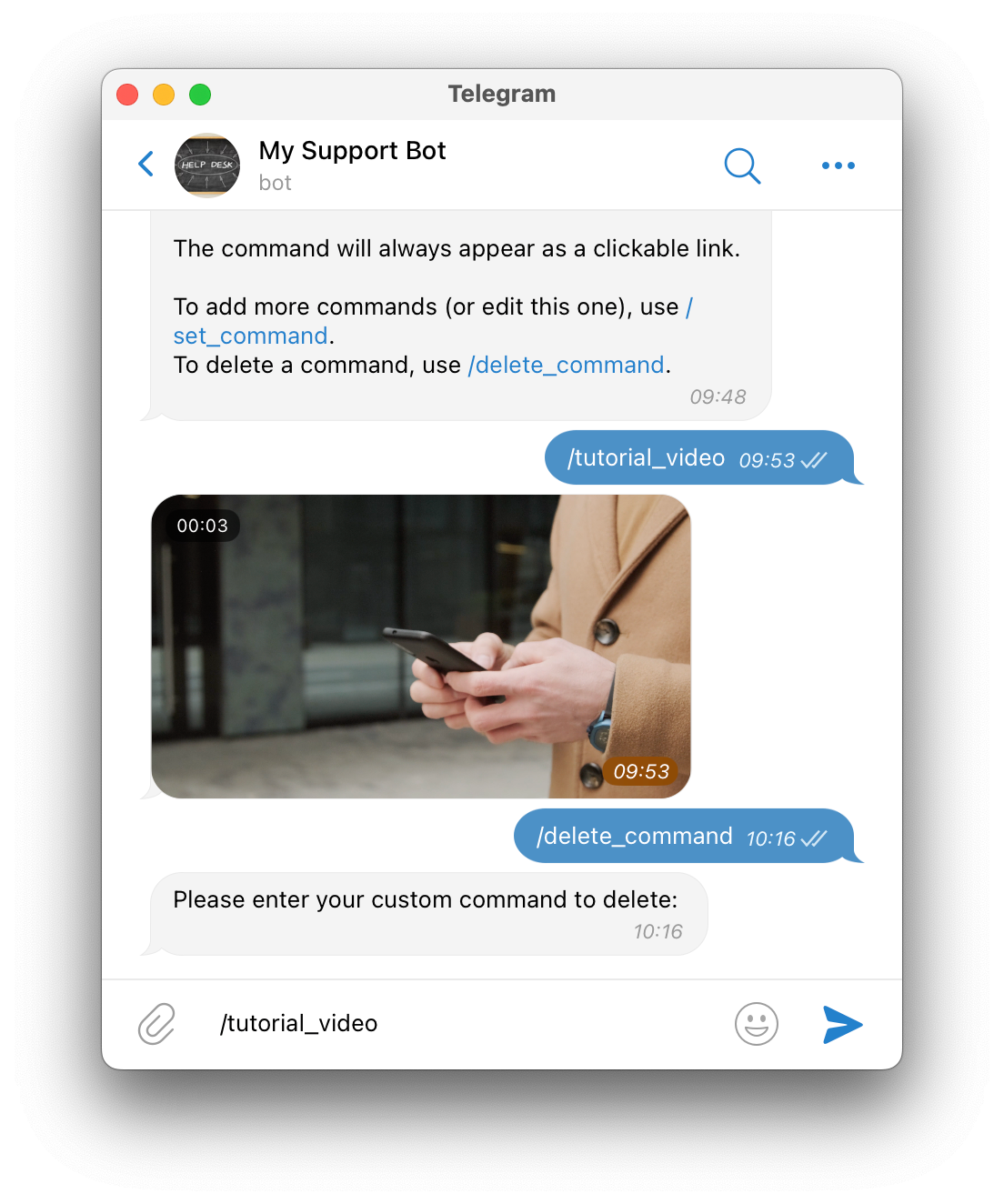
To remove a custom command, send /delete_command to your bot, and then send the command you want to delete.
Note: When using SUCH or InviteMember bots you is not possible to add custom commands in BotFather or the bot settings.